



A good desk setup needs a good keyboard. Whether your desk is designated for work from home, gaming or both, a good keyboard good keyboard is essential. The issue is that there are a ton of keyboards on the market, so picking one for your needs can be tricky. That's why we've gone through the top options on the market and tested a bunch of keyboards to find the best ones for you. Big brands like Logitech, Apple and Microsoft offer plenty of great choices, but smaller brands have some pretty high-quality options as well. You'll find some worthwhile picks from them on this list too.
For this list, we've mostly focused on productivity-focused keyboards for those long days in your home office, compact keyboards for a model that works well in a tiny dorm room and budget keyboards. We've compiled a list of the best keyboard options so that you don't have to search yourself.
In this list, we've included wired and wireless keyboards designed for work and everyday use, with a variety of models at different price points. We have a dedicated guide for the best gaming keyboards we've tested.
Also, unlike phones, TVs, laptops and many other tech products, keyboards aren't updated frequently. There's a good chance the best keyboard for you may be a model that's been around for a while. The market is huge, though, with a variety of keyboard features available like weighted keys or a wrist rest, and we'll continue to test new models and update this list so that you can find the best keyboard overall for your needs.
Logitech's MX Keys is one of our favorite everyday Bluetooth keyboards and now it comes in two smaller versions that leave off the number pad and some other keys: MX Keys Mini and MX Keys Mini for Mac. It comes in rose, pale gray and graphite.
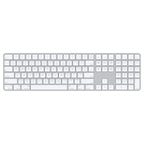
The old-school Mac keyboard and its pleasing scissor-key mechanism is the keyboard to have for most Mac users. It's a Bluetooth keyboard that connects to MacOS instantly, and a charge of its built-in battery lasts for many months. This standard keyboard is slim, minimal and matches Apple's hardware perfectly. And it's available without the numeric keypad, too.
If your office has reopened but you're not going to be using the same workspace every day, the K3 Bluetooth keyboard is a fantastic option. The slim, compact mechanical keyboard is a 75% size, meaning it doesn't have a 10-key number pad but still has function and directional keys. The body, which is made from aluminum on top and a plastic on the bottom, is lightweight and sturdy.
A good alternative to the Apple Magic Keyboard with the number pad, this two-zone version of Satechi's slim wireless keyboard saves some desk by jettisoning some of the directional keys. You still get arrow keys, though, and a full number pad. The feel is similar to the Magic Keyboard, too, with a bit more travel and it has a Mac keyboard layout so you get all the shortcut keys in the Function key row. (It'll work with Windows PCs too and can be connected to up to three other Bluetooth devices.) It's backlit around the keys, which is something you don't get from Apple at this price. It will run down your battery so you probably don't want to use it all the time. It charges via a USB-C connector on the back and can be used wired if you want to keep working while it juices up.
Though it doesn't match the comfort of the Zergotech Freedom, the K860 is a compact, one-piece split, curved, ergonomic keyboard. It's not unlike others such as the Microsoft Sculpt, but it's not bulky, clunky or unsightly -- or in need of add-ons. It also gives Logitech a full desk setup of ergonomic devices when paired with its MX Vertical mouse or MX Ergo trackball mouse.
As far as easy use with multiple devices goes, the K780 continues to be one of the best. Larger than the company's Bluetooth K380 Multi-Device Keyboard, the K780 can connect over Bluetooth or with a wireless USB receiver. The K780 also adds a number pad and -- more importantly -- a slot at the back of the keyboard to hold your tablet or phone while you type.
The BK10 is a Bluetooth keyboard that can be connected to up to three devices and lets you quickly switch between connections with keys above its numeric keypad. What's better is the keyboard is set up to work with Windows, MacOS, iOS/iPadOS and Android devices.
Large, wired and designed primarily for Windows users, this is the overstuffed recliner of ergonomic keyboards. It's more affordable than most ergo models, although it's a full-size keyboard and requires a good bit of desk space. You're probably better off keeping this on an under-mount keyboard tray and your mouse on your desktop.