
If you shoot photos in the raw format, whipping them into shape can be achallenge. Instead of flogging the Photoshopworkhorse to process yourfiles, you might like to take Adobe's cheaper, streamlined Photoshop Lightroom 3 software by the scruff oftheneck instead. You'll be finished batchprocessing long before lunchtime and have saved enough money to dineout.
Adobe Photoshop Lightroom 3
The Good
The Bad
The Bottom Line
Lightroom 3 is available from Adobefor £233 for Windows and Mac, or £75 if you're upgrading. If you look around online you can find the full version for around £180.
Lean, mean editing machine
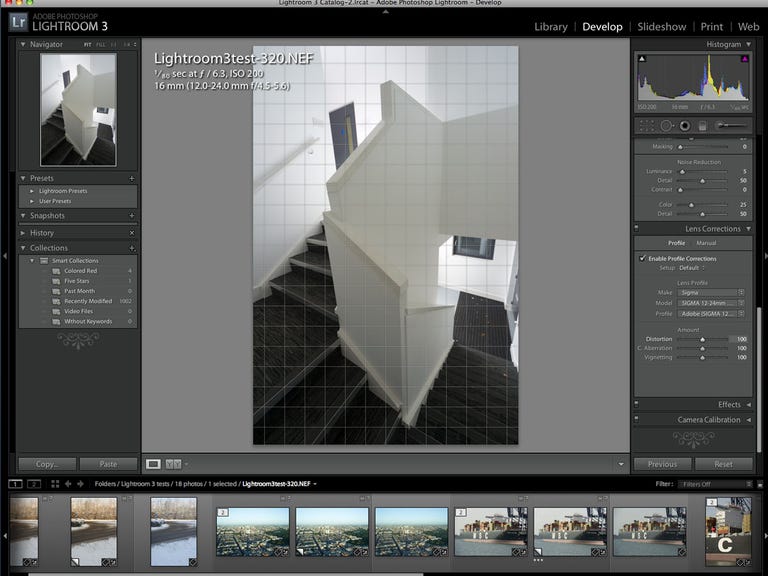
Lightroom is aimed squarely at photographers, rather than graphicartists, animators and other types of Photoshop fans. It doesn't haveall the bells and whistles that Photoshop does, which can be a good thing -- we'venever used the slice tool or 3D-walk-view tool in Photoshop, forexample. What you do need, and what you get, are pre-loaded lens-correction profiles andsuperior noise-reduction modules.
The lens-correction profiles in Lightroom are particularly good atsaving you precious time. All lenses have defects, even the veryexpensive ones. But Lightroom can recognise the lens you've used and loadup a correction profile to automatically fix barrel distortion, colouraberration and vignetting. For older lenses that don't have a profile,we tried using a profile for a similar lens from the same manufacturer and still gota decent result.
You also have the option of making your own lens profile by playingwith the distortion, colour aberration and vignetting values yourself,but we prefer to let an Adobe boffin in a Pantone white coat do it forus.
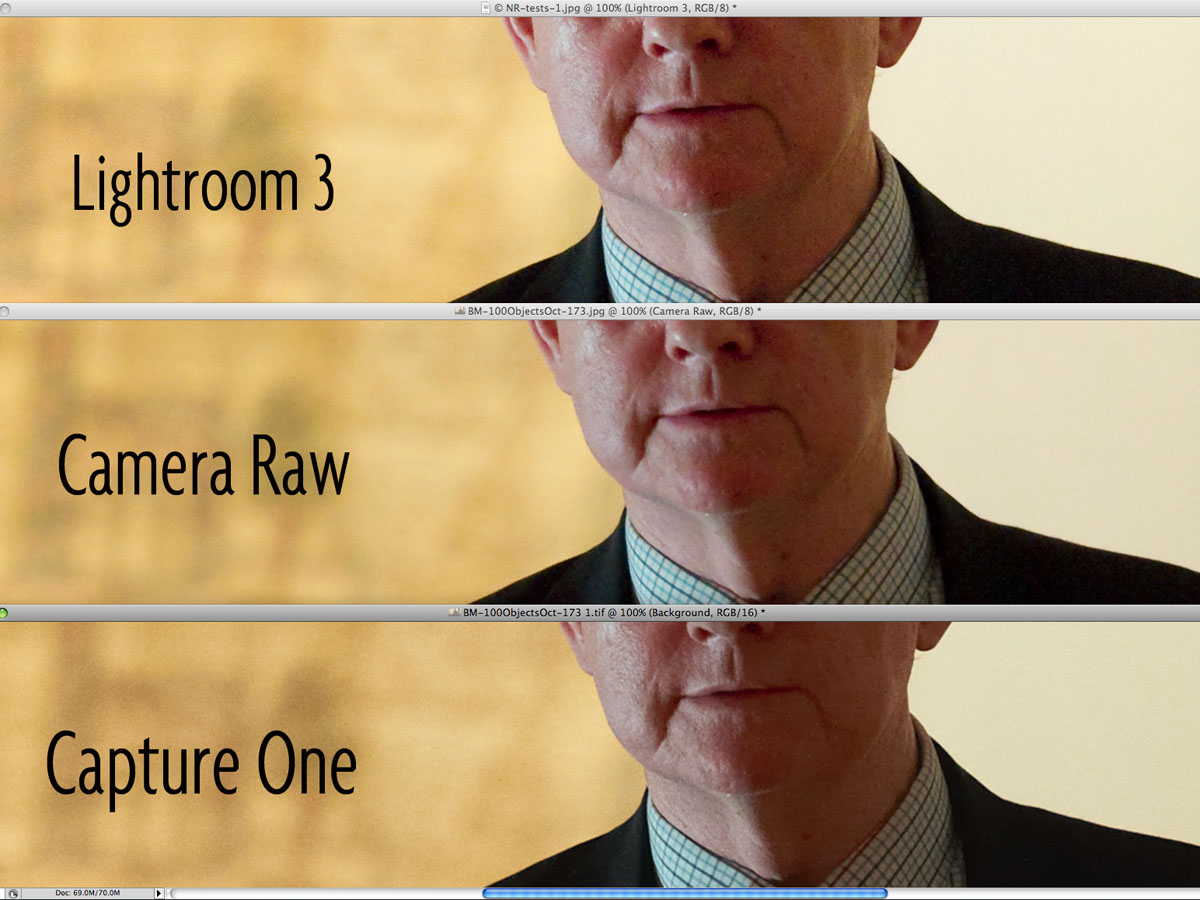
If you're shooting where flashes are banned, having Lightroom at home will make youfeel free to wind up the camera's ISO and shoot into the gloom. Lightroom handles digital noise very well indeed, so those rogue brighter sets ofpixels in dark areas and blotchy areas in lighter tonal gradientscan be tamed. We also like the fact that Lightroom armed us with the option tocontrol luminance and colour with more precision than Adobe Camera Raw.
Spoilt for choice
Lightroom has a few excessive features. For example, wethink the option to add effects like film grain is a slippery slope -- next there'll be a module for people who've forgotten to take off the lens cover.Tweaks like this should be left to Photoshop, or, better still, buysome film.
Nevertheless, some of the software's more advanced features are wellworth having. Shooting tethered -- photographing directly into thecomputer -- was once just the domain of more professional software likeCapture One. Lightroom can tether with some of the higher-end Nikon andCanon cameras and still comes in cheaper.
In our tests, Lightroom also had the edge in noise reduction. Itperformed the tricky task of toning back bright pixel noise in smoothtonal areas, while still keeping detail sharp.
One advanced feature we missed was the ability to listen to the audio image data associated with our photos. We couldn't find a way to hear the WAV files that our Nikon camera can record along with each photo, which is a quick and easy way to take notes while shooting.
Good to the last drop
Once you've finished creating a folder of photographic masterpieces,you may think the fun is over, but Lightroom has plenty more treats instore. Making contact sheets and Flash-based Web galleries is a piece of cake, thanks to the pre-set packages on offer.
You can also publish your pics straight to Facebook, Flickr andSmugMug, which makes it easier to share your work with the rest of theworld, rather than hide it in a corner.
Conclusion
Adobe Photoshop Lightroom 3 is one of the cheaper image-editing applications, but it doesn't compromise on useful enhancement tools oroutput quality. It's a winning formula for both the serious amateur andprofessional photographer, and will help you squeeze better results out of your photos in less time than ever.
Edited by Charles Kloet