


Scaling down a gaming desktop means sacrifice. In exchange for the reduced footprint, you lose performance, flexibility in upgrading, and often value. In spite of those issues, I still like the new Alienware X51 slim tower. Alienware's designers have distilled the company's signature UFO motif into an aggressive little package without crossing into gaudiness. Our $999 X51 review unit is also fast enough to play most current PC games well.
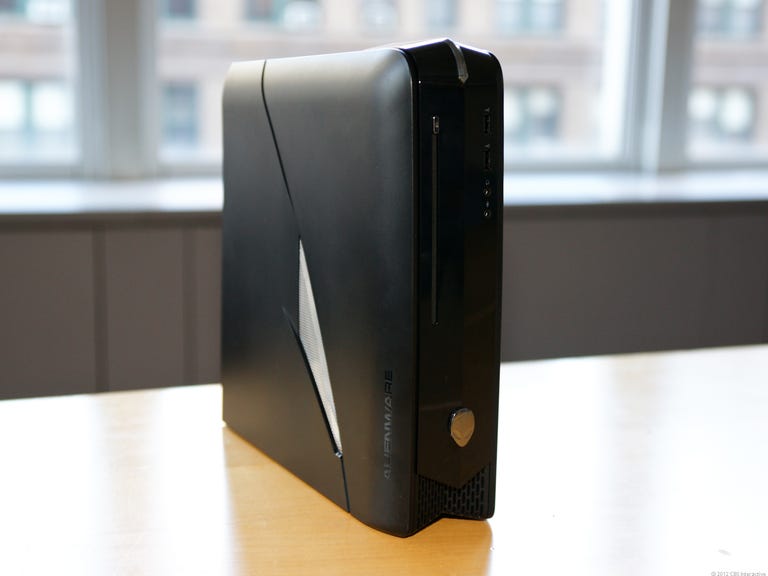
Alienware x51 desktop
The Good
The Bad
The Bottom Line
A midtower gaming PC still offers better upgrading and more hardware for your money, but if you need the X51's smaller footprint, or you just want a competent gaming system for a reasonable price, this system would be a good choice.
Alienware quite obviously looked to the PlayStation 3 and the Xbox 360 to guide the design of the X51. That inspiration has pluses and minuses. The X51's slim-tower chassis measures a tidy 13.25 inches high, 3.75 inches wide, and 12.25 inches deep, making it only a little bit larger than those gaming consoles in overall volume. The fact that the X51 can stand upright or lie down flat on its side is useful. The X51's glossy black front panel and slot-loading DVD burner would also fit in with the aesthetics of any media rack. Even Alienware's signature "alien eye" side panel cut-outs give the X51 a certain charm, thanks to a refined design.
However compact and crafted, the X51 can't boast a console's couch-friendly ease of use. You still need to install games, tweak video drivers, and otherwise endure the various idiosyncrasies of PC gaming. In the X51, Alienware is clearly trying to offer a gaming PC packaged for mass consumption. There's nothing wrong with that, but for all the X51's visual appeal, let's all pause to remember: this is still a Windows gaming computer.

What's remarkable is that Alienware can credibly call the X51 a gaming desktop. I've seen many slim-tower desktops. The limitations of their design (or perhaps their designers) have saddled those smaller PCs with half-height graphics cards, so described because they're short enough vertically to fit inside those narrow slim-tower cases.
Alienware has done away with that limitation in the X51. Instead, this system has a full-height 3D card, sandwiched on top of the motherboard. With the motherboard affixed to the right-hand panel per usual, Alienware has used a connector card to bridge the gap between the graphics card and the PCI Express slot. That it's capable of accepting a full-height 3D card means the X51 is a better gaming machine than any other slim tower we've tested.