
One of the reasons for the success of the Eee PC 701 is its low price. By utilising low-cost components and shying away from costly Microsoft operating systems, it limbo-danced its way under the £300 marker and carved itself a huge niche in the process.
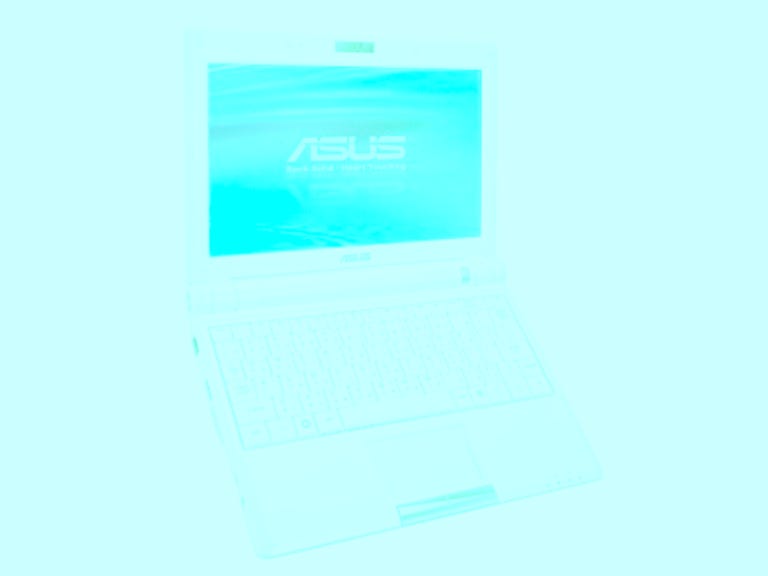
Asus Eee PC 900 Win (Windows XP)
The Good
The Bad
The Bottom Line
There are many among us that believe it's too niche -- mainly because its Linux-based operating system is so unfamiliar. Asus is acutely aware of this and -- not wanting to alienate a huge chunk of the market -- has released a version of the Eee PC 900 that uses Windows XP. But is it all sunshine and Care Bears, or are there any drawbacks to this configuration?
Strengths
The Windows XP version of the 900 is physically identical to its Linux brother. It uses the same 226x38x170mm, 1kg chassis, which is exceptionally convenient for throwing into a purse or manbag and taking on your travels. It's slightly larger and heavier than the previous Eee PC 701, but you'll be hard pressed to tell the difference between the two unless you see them side by side.
The Eee doesn't let its small size hold it back, though. It has plenty of connectivity, including three USB ports, a D-Sub port for outputting video to an external display, mic and headphone audio jacks and an SD card reader that also supports MMC media. Plus, the integrated webcam has been upgraded to a 1.3-megapixel model instead of the 0.3-megapixel part on the previous Eee.
The most appealing thing about the Eee PC 900 is its new display. Both the Linux and Windows versions sport an 8.9-inch panel that runs at 1,024x600 pixels. It doesn't sound like much but it's a massive improvement over the 7-inch, 800x640-pixel panel on the old Eee PC 701. Images, video and Web sites look far better on this system than they ever could on its predecessor, and it truly is better than ever for watching movies. It has to be said that the higher resolution is more suited Windows XP's icon-heavy aesthetic.
The mouse trackpad on the new Eee PC 900 is much improved over its predecessor. It's larger, for a start, and has a wider aspect ratio to match that of the widescreen display. It's also far more responsive in the Windows edition that it is on Linux. We're not exactly sure why, but positioning the cursor over tiny icons is less of a chore than the ever-so-slightly juddery cursor in the Linux edition.
Better still, the mouse trackpad supports multi-touch gesture inputs -- even in Windows XP. A pinching motion lets you zoom in on images, stretching lets you zoom out, and a two-finger vertical stroking motion allows you to scroll up and down through documents. MacBook Air and iPod touch users have enjoyed this feature for some time, but it's the first we've ever seen it implemented on a Windows laptop.
By using Windows XP, users can sidestep many of the software and hardware compatibility issues that plague the Linux version. We've encountered numerous devices that don't work with a Linux Eee because of driver issues, including some USB disc drives, printers and TV tuners. You simply don't get these problems with a Windows-equipped Eee PC 900.
It's a fair concern that Windows XP could adversely affect the laptop's performance. The Microsoft operating system is theoretically more corpulent than Linux, and is likely to put more of a strain on the components. However, we've nothing but good news to report in this area.
The 900MHz Celeron M CPU and 1GB of DDR 400 memory was perfectly happy to run Windows XP without slowing down and it ran just as smoothly and responsively as its Linux compatriot. It achieved a PCMark 2005 score of 1,133, which is actually more than the 1,049 achieved by the Sony Vaio TZ.
We spent some time analysing the Eee PC 900 Win's battery life, but discovered some unusual anomalies during that process. We will update this review with final battery scores once we have completed our benchmarks.
Weaknesses
Asus has decided that both the Windows and Linux editions of the Eee PC900 should sell for the same price, which is a challenge, seeing as aWindows XP licence costs around £60 and Linux is free. In order toachieve this, Asus ships the Windows XP version with 12GB of storageinstead of the 20GB found in the Linux version. We understand fully whyit has done this, but we can't say we're happy about sacrificingnearly 50 per cent of storage just to have Windows XP. It's good -- butit's not that good.
One significant drawback with using Windows XP is that the graphicaluser interface is far tricker to get to grips with than the Linux GUI.The Linux edition has logically arranged tab group labeled 'Internet','work', 'learn', 'play', 'settings' and 'favourites', each of whichcontain relevant application icons. Windows, in contrast, is moreconfusing -- particularly for anyone who isn't very experienced with acomputer.
It's no surprise to learn that the XP version doesn't ship with as manyuseful applications as the Linux edition. Applications such asOpenOffice and Skype don't come as standard, and although you caninstall these apps yourself, it would have been comforting to have themsitting there ready for use straight out of the box.
The other drawbacks with the Windows version of the Eee PC 900 areidentical to those of the Linux model. The keyboard is uncomfortable touse if you have large hands, the speakers are utterly rubbish, andthere's no built-in 3G Internet access -- at least not until Asusdecides to release a 'Surf' edition like it did with the Eee PC 701.
Conclusion
We can't really recommend the Windows version ofthe Eee PC 900 over its Linux counterpart, primarily because you getnearly twice as much storage space in the Linux version. Sure, WindowsXP offers a degree of familiarity its Linux brother can only dream of,plus inherent compatibility with an almost endless supply of hardwareand software. If you really can't live without XP, then the best courseof action is to buy the superior Linux version and install XP yourself.
Edited by Jason Jenkins
Additional editing by Shannon Doubleday