


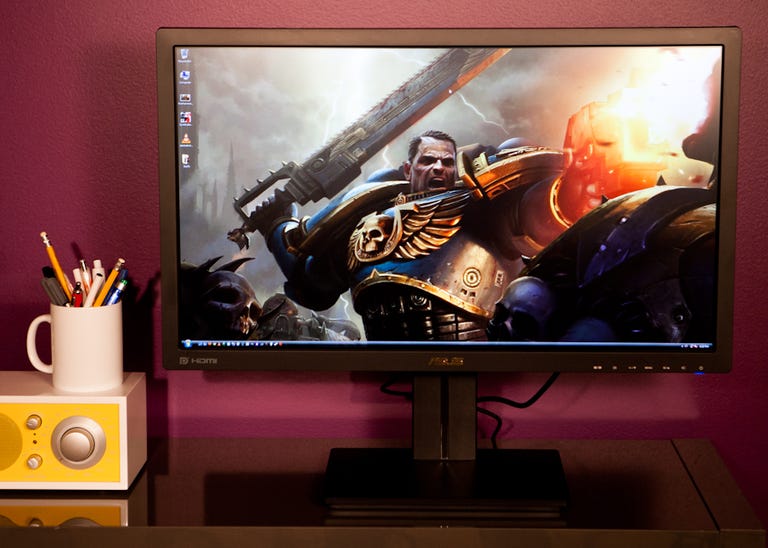
In the world of extreme-definition monitors, the Asus PB278Q almost perfectly hits a happy medium between features and value. I reviewed the HP ZR2740w earlier in 2012, and while that monitor offered great performance at a reasonable price, aside from brightness, customization features were nowhere to be found.
The Good
The Bad
The Bottom Line
The PB278Q is like getting the ZR2740w with better performance, and with a great assortment of customization features at about the same price. The Asus can't quite match the performance of the $100 more expensive Dell U2713HM and lacks the Dell's USB ports and plentiful assortment of presets, but for $100 less it's a great lower-priced alternative for those looking to save a few bucks on an extreme-definition monitor.
Design and features
The 27-inch Asus PB278Q is one of the first non-Samsung monitors to house a plane-to-line switching (PLS) panel. Previous to this, the Samsung SyncMasters S27A850D and S27B970 hold the distinction as the only other two monitors to feature the company's still relatively new panel tech. Like most monitors produced today, the PA248Q houses a white LED backlight resulting in a fairly thin, 2.6-inch deep chassis. Also, at 19.4 pounds, it's surprisingly light for a 27-inch monitor.
The bezel measures 0.8 inch on the left and right sides with the full width of the panel checking in at just under 25.25 inches. The 11-inch-wide footstand is the monitor's most eye-catching visual trait, measuring 11 inches by 8.6 inches. When knocked from the sides, the monitor does wobble more than I'd like. This is not too surprising when the swivel mechanism, located on the bottom on the foot stand, is taken into account, as it keeps the stand from sitting completely flat. Unfortunately, due to the awkward implementation, the entire chassis swivels when rotated, not just the screen.

Speaking of which, the monitor can swivel left and right, tilt back 20 degrees, and pivot 90 degrees, and its screen height can be adjusted by about 4.5 inches.
Connections include DVI, DisplayPort, VGA, HDMI, a headphone jack, and an audio-in port. The connections face downward and would be difficult to access save for the always-useful pivot feature.
The onscreen display (OSD) array consists of six buttons located in the lower right of the bezel on the underside of the panel and includes a preset shortcut, a Menu button, and a Source button. The buttons are separated from each other by about half a button's length of space and emit a satisfying snap when pressed.

Navigating the OSD feels a bit clunky, as the menu button and and preset shortcut buttons act as enter and exit button, respectively; I wish Asus could have found a less confusing way to implement its OSD controls. The OSD features Standard, sRGB, Scenery Mode, and Theater Mode presets, plus one additional customizable User Mode. Also included are brightness, contrast, saturation, hue, gamma, and advanced color settings, among which are six-color hue and saturation adjustment controls and direct RGB color control using gain and offset. Rounding out the more useful options are sharpness, aspect ratio control, picture-in-picture (PIP) settings, and system setup options such as OSD window placement and duration onscreen.
By far the most unusual feature in the PA248Q's already considerable assembly of OSD options is QuickFit. QuickFit places an overlay on the screen of your choice of either grid patterns (of various units of measure) or paper and photo sizes. With the grid patterns you can more precisely and consistently organize content on a page when, say, designing graphics for the Web.

The paper and photo sizes would show exactly what papers and photos would look like once printed. This one seems less useful, as any self-respecting graphic artist would probably already be using Photoshop or some other program to do this. Still, it's a unique option that some will get more use out of than others.