


The HP SlateBook x2 is a "woulda, coulda, shoulda" Android tablet that doesn't quite justify its $480 price tag.
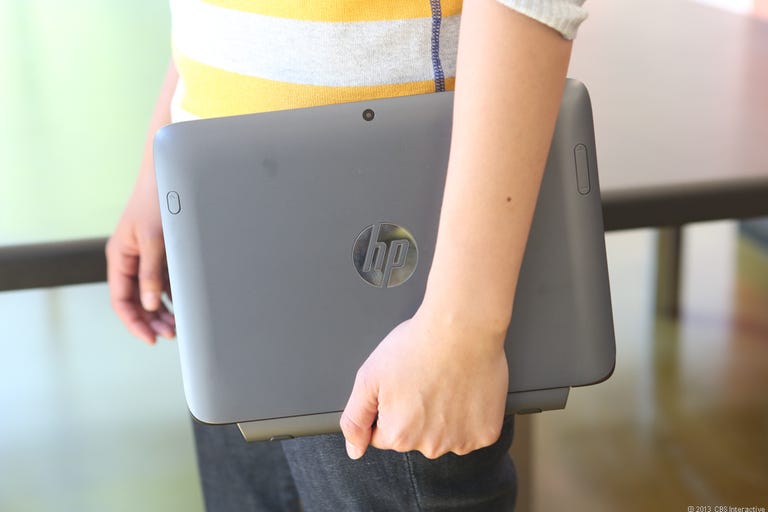
HP SlateBook x2
The Good
The Bad
The Bottom Line
No, it's not a bad tablet. There are plenty of connectivity ports, the screen resolution is high -- if not impressively so -- and while in gaming performance it can't match the $300 Nvidia Shield, Hewlett-Packard's Tegra 4-fueled device still manages impressive frame rates on most benchmarks.
But the display and keyboard are problematic. The screen suffers from a garish yellow tint that looks...well, let's just say it puts me in mind of a restroom, and leave it at that. The included detachable keyboard, meanwhile, appears at first to be a major added value; however, despite its extra-wide touch pad and multitouch features, it feels cramped in the face of more innovative tablet typing options.
All told, the SlateBook x2 just doesn't feel like what you'd expect in a near-$500 tablet in 2013. It's fine, but I'd recommend waiting for a beefy price drop before shelling out for it.
Design
The HP SlateBook x2 is meant to be used in tandem with its included keyboard dock. Unfortunately, with the two connected, if feels like you're using a Netbook circa 2010 -- a Netbook that runs Android. Asus has found success with this concept over the last couple of years, but since Microsoft introduced a much more comfortable way to type on a tablet -- as long as you're not using your lap -- this kind of cramped keyboard design has felt inadequate to me.
Tablet-typing approaches are only slowly evolving, but HP seems to have based the x2's keyboard design on a model that worked two years ago, but is starting to feel antiquated. So, attempting to return to what now feels like a scrunched typing area leads to immediate frustration, especially if you have larger-than-average hands like mine. You can still type functionally on it, but it feels cramped and never quite ideal. The keys are a bit too small and for me the Backspace button is about an inch too low -- as evidenced by my continued habit of overshooting it. I do however quite like the extra-wide multitouch touch-pad HP includes and, as expected, shortcuts for home, back, recent apps, and search are featured as well.