


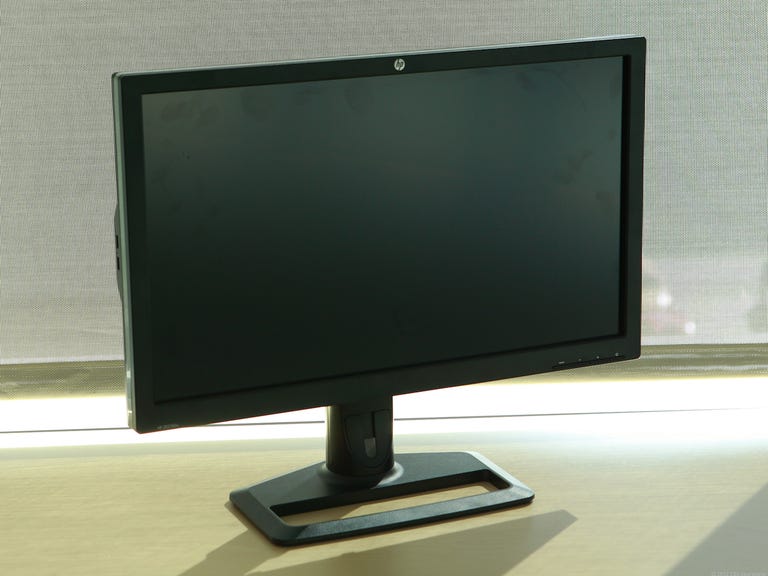
HP ZR2740w
The Good
The Bad
The Bottom Line

With no customization options (aside from brightness), the HP ZR2740w requires you to accept it as is. However, is its price-to-performance ratio high enough to make its lack of options worth dealing with?
Design and features
Based on its thick, sturdy body, the astute among you might be able to quickly determine the panel type of the HP ZR2740w. Unsurprisingly, the monitor houses an in-plane switching (IPS) panel that demands copious amounts of silicon real estate to contain its IPS-based power. The ZR2740w has a substantial, 1.3-inch-deep initial chassis that slopes inward toward the rear and extends back an additional inch to include the connection options and ventilation system. This brings the monitor's full depth to 2.3 inches. That's a far cry more girth than the sub-inch-thick profiles we're used to seeing on twisted nematic (TN) monitors.

The giant foot stand underneath the panel measures 13.2 inches wide and 9.2 inches deep and provides more than enough stability, even when pounded by my highly capable fists. The panel measures 25.4 inches in width, with a right and left bezel measuring 0.8 inch. It includes 4 inches of screen height adjustment with a panel-to-desktop distance of 1.8 inches when lowered and 5.8 inches when at its full height. Overall, the monitor body feels solid and strong with no immediate signs of shoddy craftsmanship.
The 27-inch HP sports an extreme definition (XD) resolution of 2,560x1,440, packing as many as 136,000 pixels into each inch. That's 40,000 more pixels per inch compared with a 24-inch screen running at 1,920x1,200 pixels. What those extra pixels translate into is high graphical integrity and screen quality which I'll delve into in the performance section.
Unfortunately, the monitor is limited to just two video inputs: a single DVI and one DisplayPort. No duplicates and no HDMI. Also, port placement follows typical, antiquated monitor design; they are tucked underneath, making them particularly infuriating difficult to access. To the left of the DisplayPort sits a single USB upstream port and two USB downstream ports. On the left edge of the panel are two additional USB downstream ports, aligned vertically.


The ZR2740w grants the full gamut of ergonomic options, consisting of a 90-degree pivot, 35-degree back tilt, 4-inch screen height adjustment, and 45-degree left and right swivel. Unfortunately, as it did with its 30-inch ZR30w, HP forgoes providing an onscreen display (OSD) interface and instead features only brightness adjustment buttons and a quick way to switch from DVI to DisplayPort and back.