


Lenovo, maker of the fabled ThinkPad brand, has had a long and storied history with touch-screen laptop/tablet hybrids. At a time years ago when most other PC makers wouldn't go near the tiny convertible tablet market, there was always a ThinkPad model or two with a swiveling touch screen, even if Windows XP/Vista/7 weren't particularly well-designed for touch interaction.
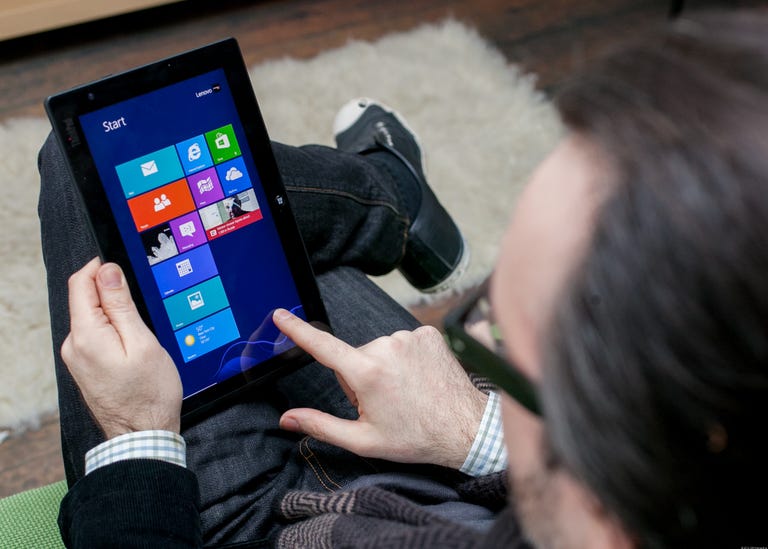
Lenovo ThinkPad Tablet 2
The Good
The Bad
The Bottom Line
Then there was the infamous U1 hybrid, a clear predecessor to today's removable-screen hybrids, and a product we championed several CES shows ago, only to see it fade into vaporware.
In the Windows 8 era, Lenovo has been at the forefront of the new thrust towards touch devices, first with the folding-screen IdeaPad Yoga and rotating-screen ThinkPad Twist, and now with the ThinkPad Tablet 2, an Atom-powered slate that comes bundled with a clever keyboard dock and leather carry case.
The ThinkPad Tablet 2 isn't so different under the hood than the Dell Latitude 10, Acer W510, or other Atom Windows 8 tablets. All offer excellent battery life, but require performance compromises. They have limited onboard storage space, and frankly feel overpriced when compared to previous-gen Atom systems, which cost under $300, and full Core i5 tablets or hybrids, which can cost only a couple of hundred dollars more for a full-power experience.
The base model Tablet 2 includes the same Atom Z2760 CPU with 2GB of RAM and a 64GB SSD as seen in other Atom tablets. The slightly higher starting price, $670, can be justified by the excellent overall design and build quality, but you're going to want the keyboard dock, which is an extra $119, and the leather folio case for the tablet and dock, which costs $39. All together, this package will cost you $838, which is not far off from the base (no keyboard case included) Core i5 Microsoft Surface Pro, or any number of slim Core i5 ultrabooks with touch screens.

That said, the keyboard dock provides my favorite to-date Windows 8 tablet typing experience, and while I'm not likely to use it much, I like how the digitizer stylus is cleverly tucked into an inconspicuous slot on the left side of the tablet. After the Surface Pro, it's probably my second-favorite Windows 8 tablet overall, from a general usability standpoint -- I just wish I wasn't paying more than $800 for an Atom CPU and 64GB SSD.