
X
CNET logo Why You Can Trust CNET

Our expert, award-winning staff selects the products we cover and rigorously researches and tests our top picks. If you buy through our links, we may get a commission. Reviews ethics statement

SanDisk Ultra SSD review: SanDisk Ultra SSD

SanDisk Ultra SSD

Headshot of Dong Ngo
Dong Ngo Former SF Labs Manager, Editor
Former CNET editor Dong Ngo has been involved with technology since 2000, starting with testing gadgets and writing code for CNET Labs' benchmarks. He managed CNET's San Francisco Labs, reviews 3D printers, networking/storage devices, and also wrote about other topics from online security to new gadgets and how technology impacts the life of people around the world.
Dong Ngo
6 min read

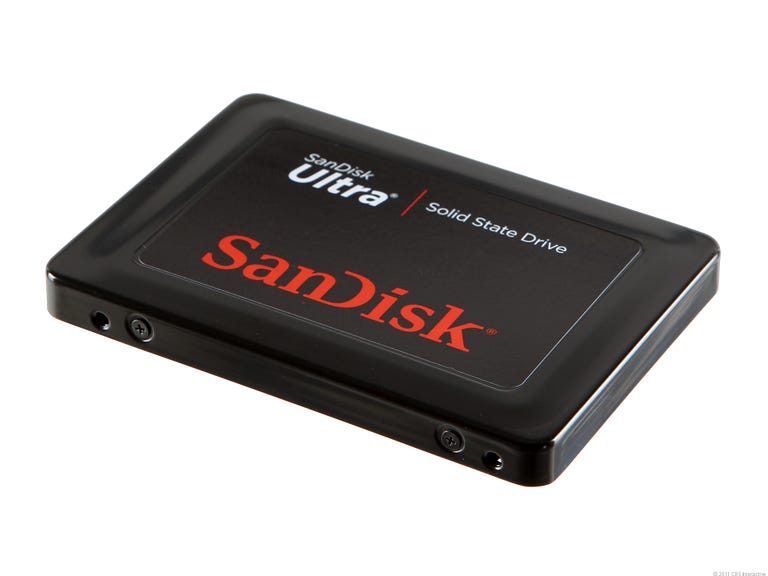
The SanDisk Ultra is the first SATA 2-based solid-state drive we've reviewed since the Samsung 470, which was released almost a year ago. As an SSD, the SanDisk Ultra offers noticeable overall improvement over traditional hard drives in copy speed. However, it's the first SSD to trail behind certain hard drives in our copy speed test. Nonetheless, the drive indeed improves a computer's boot and shutdown time a great deal, although not as much as a SATA 3 SSD. It also helps significantly boost the launch of applications, and can increase a laptop's battery life.
6.3

SanDisk Ultra SSD

The Good

The 2.5-inch SATA 2-based <b>SanDisk Ultra</b> solid-state drive generally works in any application where 2.5-inch SATA hard drives are used. It offers great application performance, and significantly reduces boot and shutdown time when used as the main drive.

The Bad

The SanDisk Ultra's copy speed is slow, and the drive is expensive for an SSD.

The Bottom Line

For SATA 2 (3Gbps) computers, the SanDisk Ultra makes a decent replacement drive.

At a price of around $420 for the 240GB version or $210 for the 120GB version, the SanDisk Ultra is actually slightly more expensive than the Crucial M4, which supports SATA 3 and offers noticeably better performance. For this reason, if you have a SATA 2-based computer (most computers currently on the market are SATA 2-based) the SanDisk Ultra will make a good, but not great, investment as a replacement for the existing internal drive. Those who want a faster and future-proof SSD should check out SATA 3 (6Gbps) SSDs, which are also compatible with SATA 2 interfaces.

Design and features

6.3

SanDisk Ultra SSD

Score Breakdown

Design 8Features 5Performance 6Support 8