

If you work remotely and have to join online meetings, you know that having to repeat yourself isn't fun. I dread getting on a call and checking if the others on the line can hear me clearly.
Our Picks

While not specifically a microphone, the AirPods by Apple is a great way to take Zoom calls. I normally have a giant microphone in front of my face for large meetings, but when you're having a small Zoom meeting that's more personal, a set of AirPods is more than enough. Most people already have a set of AirPods if they own an Apple phone, so why spend extra money if you don't have to?
-- James Bricknell
Pros
- Lightweight design, now with USB-C charging
- Excellent sound and noise canceling
- Powered by Apple's H2 chip
- Strong voice-calling performance
- Support for 20-bit/48 kHz Lossless Audio with Apple's Vision Pro headset
Cons
- No support for high-resolution audio with other Apple devices except headset
- Still no XL tips included

If you're in the same boat and are tired of being asked to repeat yourself in meetings, or avoid video calls because of poor audio, the good news is that you don't always need to spend a ton of money to find a mic that makes your voice sound great. Members of the CNET team have tried and tested a wide range of options to narrow down this list.
We've found many great microphones for Zoom, which, when set up correctly, can be a big upgrade for your audio quality. These options will help get rid of the background noise and give your voice that professional, studio-quality feel.

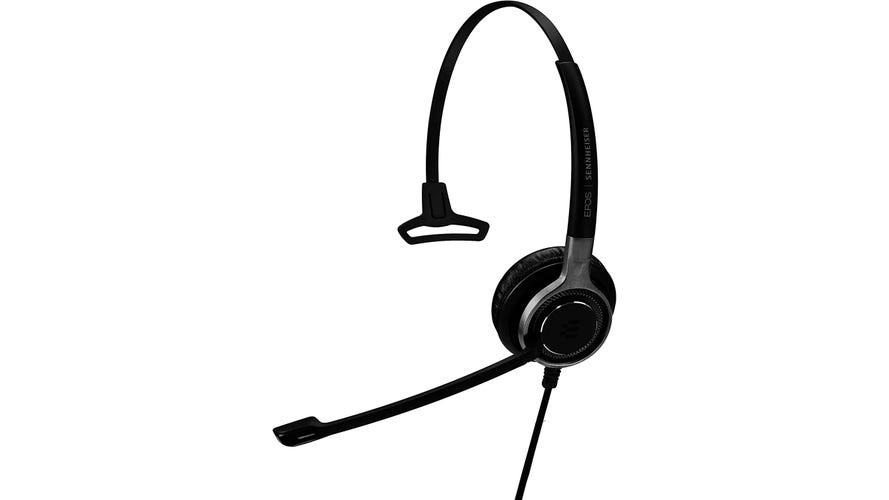
I've tried all kinds of Bluetooth single-sided headsets with boom microphones and none of them sound very good. Corded headsets really excel for Zoom, and how far do you really need to walk away from a video call anyway? The Sennheiser SC635 is a premium corded headset available in either 1/8-inch plug or USB versions -- I use the former for the best audio quality. Skip the wireless earbuds, they put microphones on the sides of your head, too far from the hole where the words come from.
-- Brian Cooley

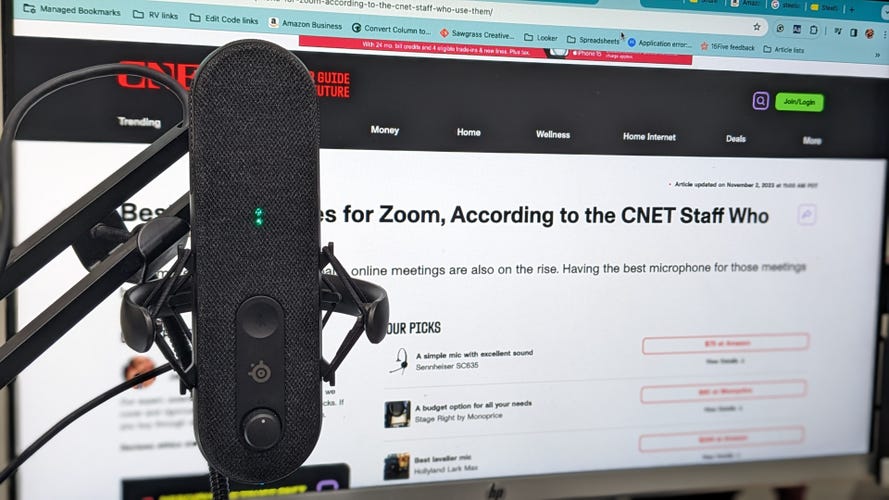
Steel Series is best known for its gaming gear, but did you know it makes excellent mics too? The Alias is a dark grey pill-shaped microphone that works well with a stand. I found it worked best on a boom. The sound quality is excellent. If you plug your headphones in, you can use the monitoring feature to hear yourself as well as your team. It has a simple touch mute button that shows you a big red X so you know you're on mute. There's also some cool lighting underneath because, at heart, it's a gamer.
I love the Alias, and it's my current favorite standalone mic for Zoom calls.

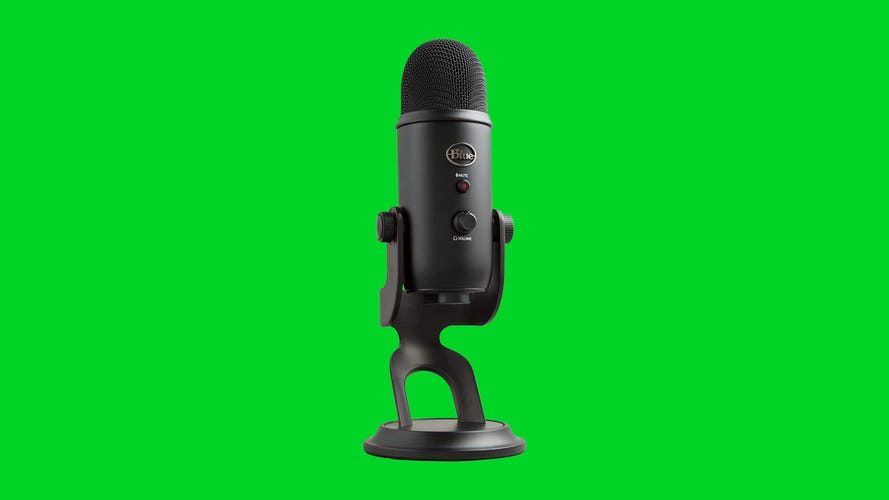
I've been using my Blue Yeti microphone for quite a while now and have loved every second of it. Mine sits on a no-name arm that I picked up from Amazon as I was reorganizing my desk, and that's actually made it even more useful for me. There's a volume knob and mute button on the front of it so I can easily mute myself on a call without reaching for a software feature on my Mac.
The quality has been great and it's never given me an issue. I wish that it used USB-C instead of Micro-USB, but since it's something I leave plugged in all the time and don't really fuss with, I'm not overly worried about that.
-- Jared DiPane

Pros
- Lightweight design, now with USB-C charging
- Excellent sound and noise canceling
- Powered by Apple's H2 chip
- Strong voice-calling performance
- Support for 20-bit/48 kHz Lossless Audio with Apple's Vision Pro headset
Cons
- No support for high-resolution audio with other Apple devices except headset
- Still no XL tips included
While not specifically a microphone, the AirPods by Apple is a great way to take Zoom calls. I normally have a giant microphone in front of my face for large meetings, but when you're having a small Zoom meeting that's more personal, a set of AirPods is more than enough. Most people already have a set of AirPods if they own an Apple phone, so why spend extra money if you don't have to?
-- James Bricknell

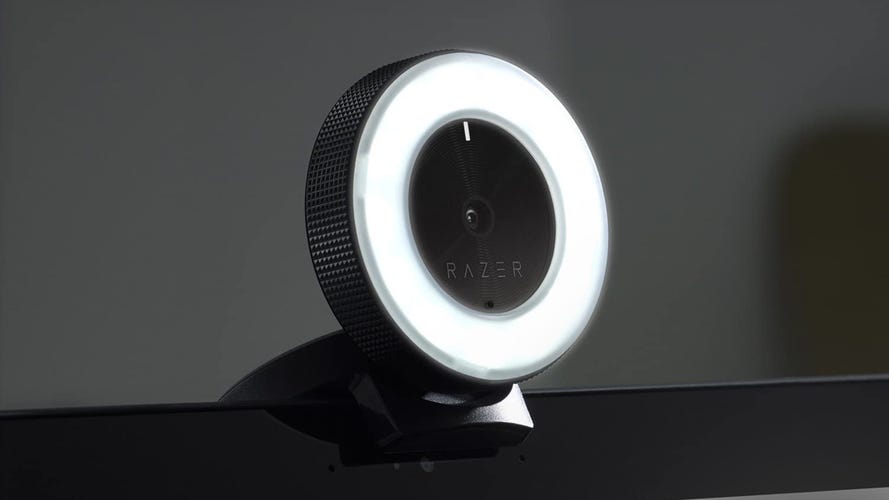
I wish I used my Yeti Blue microphone more, but my Razer Kiyo webcam has been my workhorse mic throughout the pandemic. That's mostly because the Blue is too good, picking up clacky keystrokes from where it sits over my mechanical keyboard, while the Kiyo just gets my voice from its perch above my monitor.
That's not a dig at the Kiyo itself, which is better than internal microphones and most headphones. It's a convenient all-in-one, and, given how annoying it is to switch between microphones on the half-dozen video chat platforms I use, it's nice to have a reliable mic always plugged in and ready.
-- David Lumb

Not all conference calls involve sitting down in front of a laptop. Sometimes you're the person giving a presentation and you need a little freedom of movement. A Lavalier mic connects to your collar and wirelessly streams to a small control unit attached to your laptop.
The Lark Max comes with two mics, with noise cancellation and a controller unit that'll easily connect to your iPhone, Android, or laptop (via USB-C). The sound quality is excellent, although you'll need to speak a little louder than with a desk mic. The drop in volume is well worth it to have the freedom of movement and the sound quality you get from the Lark Max. As an added bonus, the case also charges the mics and controller so you'll have them ready to go when you need them.

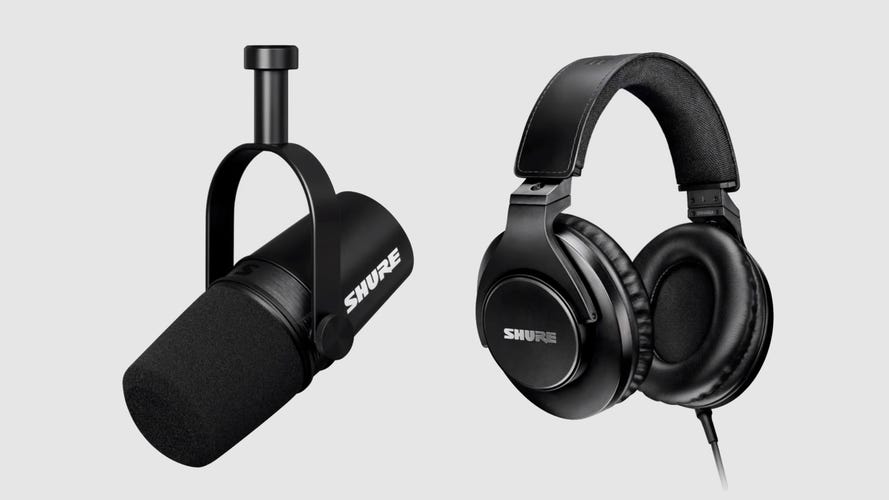
I need one microphone for Zoom calls, for podcasting, for presenting videos and for doing voice-over work and the beautiful audio quality of the Shure MV7 provides all of that. Unlike a lot of professional condenser mics, it connects via USB straight into my computer so I don't have to mess about with audio interfaces or any of that nonsense. It's totally just plug-and-play, making it simple to get professional-quality recordings.
-- Andrew Lanxon
More recommendations from CNET staffers
- Best Monitors According to the CNET Staff Who Use Them
- Best Office Chairs, According to the CNET Staff Who Sit on Them
- Best Apple Watch Bands, According to the CNET Staff Who Wear Them
- Best Printers, According to the CNET Staff Who Use Them
- Best Carry-On Luggage, According to the CNET Staff Who Use Them
- Best Heating Pads, According to the CNET Staff Who Use Them
