

Just because you don't have a smart TV, it doesn't mean you need a smart TV. In this age of streaming video content, cable TV cord cutting, Netflix, Amazon Prime video, and YouTube, there's plenty of ways to stream that video onto your TV. But the cheapest is a dedicated media streamer from a company like Roku or Amazon Fire TV. Streaming media devices make great gifts too, because they're easy to use and open up access to a whole world of entertainment content, both from free apps and subscription-based apps (don't call them channels, that's outdated). Some have a remote, some don't have a remote, but all will get you to stream great TV.
If you're planning on buying that someone a media streaming player this holiday season, the main thing they'll need is a solid Wi-Fi network connection at home, ideally one near the TV. That, and enough money for all those content subscriptions. Here are our picks for the best streaming device.
Read more: Best live TV streaming services for cord cutters in 2019 | Best HDMI cables for your new 4K and HDR TV

Pros
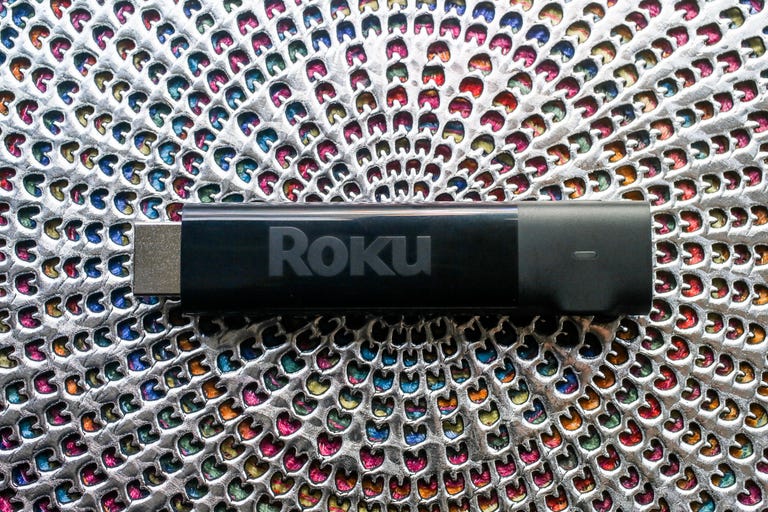
- The Roku Express (2019) is an affordable, easy-to-use mini streamer with access to thousands of apps. Load times and app performance are quick and reliable.
Cons
- Lacks the TV control buttons and point-anywhere voice remote included on the more-expensive Express Plus and Amazon Fire TV Stick.
For less than the price of a decent dinner, the tiny Express covers the basics beautifully, has quick response times and Roku's dead-simple interface. And Roku's app access is second to none, with all the big content names they expect, from the Netflix to the Apple TV apps, and thousands of smaller content providers, too. And if they have an older TV without an HDMI port, the Express Plus is a great choice.
Read more: Best holiday gifts for dads in 2019

Pros
- The Amazon Fire TV Stick is one of the least expensive streamers you can buy. Voice features are best-in-class, and Echo and Dot owners can control it with Alexa. Its app selection is superb, responses are fast and video quality is as good as any streamer. The remote can control volume and power on TVs, sound bars and AV receivers.
Cons
- The user interface promotes TV shows and movies from Amazon and its partners that you probably don't care about.
Roku has a better, simpler menu system but the entry-level Fire TV Stick has the edge in features -- its remote controls TV volume and power, and it lets you talk right into the remote control to search for video to stream, ask the weather or turn off the lights.
Read more: Best TVs in 2019

Pros
- The super-affordable Chromecast streams Netflix, YouTube, Spotify, Pandora, HBO Now and thousands of other apps and games to your TV using an smartphone, PC or even voice as the controller. It hides neatly behind your TV.
Cons
- The lack of a dedicated remote means you always need a smartphone, tablet or PC nearby to use it. Competitors at the same price offer physical remotes and onscreen displays, which are easier to use. There still no app support for Amazon Prime Video.
If your gift recipient would rather control the videos with his or her phone and no remote, get a Chromecast. It utilizes the Cast function on iPhones, Android phones and other devices to control video from most major content apps, including Netflix, YouTube, Hulu and thousands more apps. The big downside? No remote control or on-screen menu system, so you need your Android or iPhone to use it.

Pros
- The Roku Streaming Stick Plus delivers 4K and HDR video in a compact package for an affordable price. Its dead-simple interface puts every streaming service on a level playing field. Roku's responses are lightning fast, its video quality as good as any streamer, and its remote can control your TV's volume and power.
Cons
- It costs $10 more than the newer Roku Express 4K Plus, which has basically the same features. The menus can seem dated compared to rivals, it lags behind Fire TV for voice support and it doesn't stream in Dolby Vision.
The Plus has all the Roku goodness of the Express and adds 4K HDR video output. If your gift recipient has a 4K HDR TV, or could get one in the near future (note: pretty much every new TV is 4K these days), this is a better choice than the Express because it takes advantage of the best video quality from content services like Netflix and Amazon Prime video. And the Plus also has a point-anywhere remote control with the ability to control TV volume, mute and power. It's our favorite all-around streamer.

Pros
- Better streaming format support than anything in its price range. Voice features are best-in-class, and Echo and Dot owners can control it with Alexa. Its app and game selection is superb, responses are lightning fast and video quality is as good as any streamer. The remote can control volume and power on TVs and soundbars.
Cons
- The user interface pushes Amazon content too aggressively. The selection of 4K, HDR and Dolby Vision TV shows and movies is worse than on Apple TV 4K or Roku.
Once again, we prefer the competing Roku Streaming Stick Plus for its superior menus, but this smart Fire TV stick has its advantages. In addition to superior voice search, voice commands and voice control (Alexa), it offers Dolby Vision HDR compatibility, something missing from Roku players. That's hardly a must-have, but if your gift recipient has a Dolby Vision TV and wants to make sure to stream in that format, Amazon's stick could be the better bet.

Pros
- The Roku Ultra 2019 has a few neat conveniences including a voice remote with programmable shortcut buttons. It's slightly faster than earlier Rokus. Ease of use remains best-in-class, and its Ethernet port is a boon for folks with spotty Wi-Fi.
Cons
- The $100 Ultra's extras aren't worth the money over the cheaper Streaming Stick Plus. The Ultra still doesn't offer Dolby Vision HDR.
All of the streamers above will do the job well for half as much as the Ultra, but maybe you feel like laying a little luxury on that special media streaming someone. Roku's Ultra builds most of the extra features into its smart remote: an onboard headphone jack (so you can watch TV without disturbing anyone else), a remote finder (for when the clicker gets lost in the couch cushions) and a pair of voice programmable shortcut buttons on the Ultra remote (it's always fun to control a remote with your voice). Along with the Apple TV 4K, the Ultra is the only device on this list with an Ethernet port, so you have the option of going wired instead of Wi-Fi.

Pros
- The Apple TV 4K delivers the best streaming video available to compatible 4K, HDR and Dolby Vision TVs. It offers the most polished streaming experience today and excellent Siri voice options.
Cons
- The Apple TV 4K is expensive. Cheaper streaming devices from Roku and others offer similar image quality and capabilities.
Want to give the very best? The Apple TV 4K has it all: 4K HDR compatibility with Dolby Vision, a slick, touch-sensitive remote and full integration with Apple's other gadgets and services, including Apple Arcade (complete with Xbox and PlayStation controller support) for smart gaming. With the arrival of the TV content apps and iTunes on Roku and Amazon, it might have lost some appeal for Apple fans on a budget, but it's still a top choice if you're feeling generous.
CNET Holiday Gift Guide
- Best laptops and desktops to give as holiday gifts in 2020
- The best headphone gifts for the holidays
- Best Bluetooth wireless speaker to blast for 2020
- Best TV and streamer gifts for the holidays
- The best gifts to get healthy in 2021
- Give the gift of a better, faster router for the holidays
- Best gaming gifts for the holiday season 2020
- Best gaming accessories to give as holiday gifts
- Best 2020 phones to give as gifts: iPhone 12, Galaxy S20 FE, Pixel 4A 5G and more
- Best soundbars and home audio for the holidays
- The best smart home gifts of 2020
- Best gifts for working at home in 2020
- Best toys for 2020
- Best gifts for Mom in 2020
- Best gifts for Dad in 2020
