

The best headsets and headphones for your home office or hybrid setup have a few key traits: good ergonomics, excellent voice-calling performance and the ability to connect simultaneously to your phone and PC (multipoint Bluetooth pairing). I’ve tested numerous headphones and headsets with boom microphones, evaluating noise reduction, comfort, call quality and even music quality. I’ve included a few Unified Communications -- aka UC -- headphones on this list, which come with a small USB-A or USB-C dongle for easy wireless connectivity with Zoom, Google Meet and Microsoft Teams calls. However, several of our top picks are mainstream consumer headphones with good microphone performance and ambient noise-reduction that also work well for everyday use. I should also note that gaming headphones with integrated boom microphones make for good work-from-home headsets, too, but we can't include everything on this list.
Our Picks

In the past, Jabra marketed its Evolve headsets more toward businesses rather than consumers. But as more people have shifted to hybrid or work-from-home environments, the professional-grade headset market's dynamics have shifted to the point where the Danish brand made a major design decision for its new Evolve3 85 ($649) and Evolve3 75 ($463) headsets: it left off the boom microphone and designed the new models to look like your typical premium over-ear and on-ear headphones.
Pros
- Lightweight, slim design with no boom microphone
- Comfortable fit with breathable fabric-covered ear pads
- Excellent microphone performance and background noise reduction
- Good voice isolation, even in noisy environment
- Decent sound quality for music listening
- USB dongle for reliable wireless connection to computers
- Ear pads and batteries are replaceable
- USB-C and wireless charging
Cons
- Expensive
- For their high price, they could sound a little better for music listening

Over the last several years, Sony has made some of the best noise-canceling headphones on the market, so it's a big deal when the company comes out with a new flagship model, like the WH-1000XM6, which arrives three years after the release of the WH-1000XM5. Though the XM5 was -- and still is -- one of the top over-ear Bluetooth headphones, there's always room for improvement. With the XM6, Sony has fixed the small design flaws of its predecessor while bumping up the overall performance, including voice-calling performance. The result is a headphone that's arguably edged just ahead of the competition and is now at the top of its class. Read our Sony WH-1000XM6 review.
Pros
- Upgraded design with more comfortable fit
- Improved noise canceling and sound quality
- New QN3 chip is seven times as powerful as QN1 chip in XM5
- Excellent voice-calling performance with more mics
- Improved transparency mode
- Spatial audio with head tracking
Cons
- $50 more than previous model
- No USB-C audio
- It's not so clear how you access spatial audio
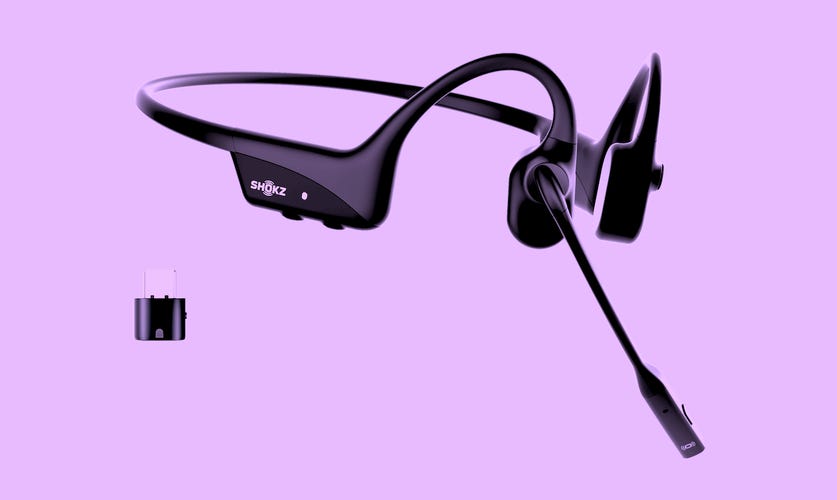
A few years ago Shokz turned its OpenRun (formerly Aeropex) bone-conduction headphones into a more communications-friendly headset with an integrated boom microphone called the OpenComm ($160), which remains available. The second-generation OpenComm 2 UC costs more than the original, but features an upgraded Bluetooth 5.1 chipset that improves performance a bit and now allows for the firmware upgrades that are required for Zoom certification. Additionally, the microphone has moved from the left ear to the right and a convenient mute button has been added to the boom microphone -- an important addition.
Pros
- Very good voice-calling performance
- Retractable boom microphone
- Includes USB dongle for wireless PC connection
- IP55 splash-proof
- Zoom certification
Cons
- Proprietary magnetic charging (no USB-C)
- Not great for music listening with poor bass performance
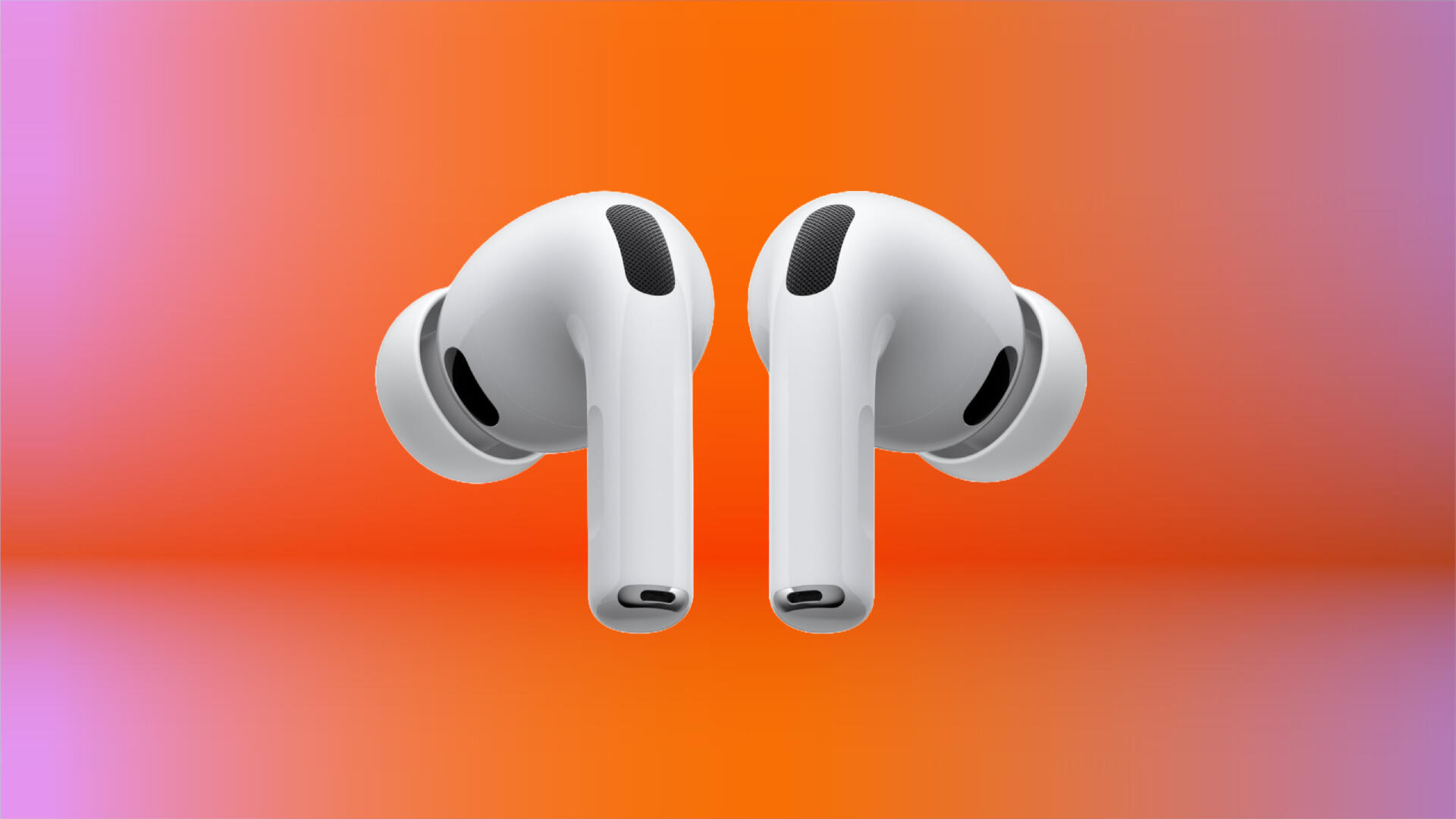
The AirPods Pro 3 are about as close as earbuds get to being complete: excellent noise cancellation, strong voice-calling performance and sound quality that rivals the very best. Few buds excel in all three areas -- and the Pro 3s manage it while packing in plenty of extra features, including a new heart-rate monitoring feature. Read my full review.
Pros
- Design upgrades to the buds and ear tips improve their fit
- Noise cancellation has been upgraded and is now top-notch
- They sound better, with improved bass response and more clarity
- Built-in heart-rate monitoring with new sensors
- Excellent voice-calling performance (upgraded microphones)
- Battery life rated for up to eight hours (up from six for AirPods Pro 2)
Cons
- They still use the H2 chip found in the AirPods Pro 2
- Heart-rate monitoring is buried in fitness apps
- While they work with Android, many of their features are exclusive to Apple devices
- Some new colors would be nice

Logitech's Zone Wireless 2 ES is fairly affordable headset that starts at $160 and offers good all-around performance in a comfortable, lightweight for factor with a reversible boom microphone (you can opt to wear the it of your left or right side, and flipping it up mutes the mic). While this is an on-ear model, the ear pads are nicely cushioned and I found the headset easy to wear for long stretches. Noise reduction during voice and video calls was excellent and people said they could here me clearly. When I used the headset in the noisy streets of New York, callers told me they could hear only minimal background noise, though the headset did pick up some wind noise.
Pros
- Lightweight, comfortable design
- Reversible boom microphone (mic mutes when you flip it up)
- Very good background noise reduction
- Good sound quality for music listening
- Dedicated button to mute microphone
- Attractive cloth carrying case included
- Microsoft Teams certified for native Bluetooth connection
Cons
- Base version doesn't include USB dongle for easy connectivity to PCs (step-up Logitech Zone Wireless 2 ES for Business includes it)
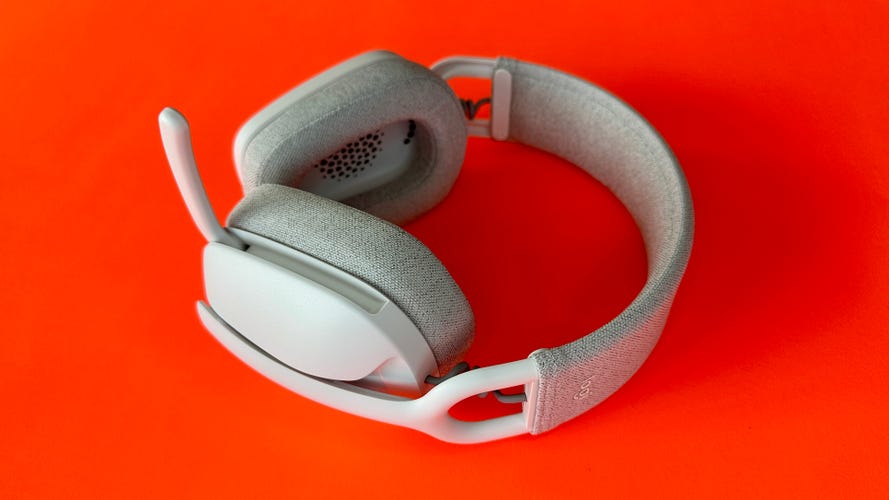
There's a lot to like about Logitech's Zone Vibe 100 wireless over-ear headset, which comes in off-white, carbon and rose color options. For starters, it's lightweight and comfortable to wear, with a retractable boom microphone that you can flip up to mute, plus it has a mute button on it. Additionally, it features multipoint Bluetooth pairing, so you can pair it simultaneously with your Mac or Windows PC and your smartphone and easily switch audio back and forth between the two devices. These aren't active noise canceling headphones but they offer a decent amount of passive noise isolation. Battery life is rated at up 20 hours of listening time.
Pros
- Lightweight and comfortable wear
- Auto-mute function with retractable boom microphone
- Companion app allows for sound profile tweaking
Cons
- No active noise canceling
- Music listening is only OK on PC
Pros
- Lightweight, comfortable design with dual-hinges that fold both up and flat
- Superb noise canceling that rivals Sony's for ANC on the market
- Slightly improved sound quality with new immersive-audio Cinema Mode
- USB-C audio
- Excellent voice-calling performance with minimal background noise
- Intuitive mix of physical buttons and touch controls
Cons
- Unclear what hardware changes Bose has made and this model looks almost identical to the previous model
- Pricey
- Immersive audio mode hurts battery life (30 to 24 hours)
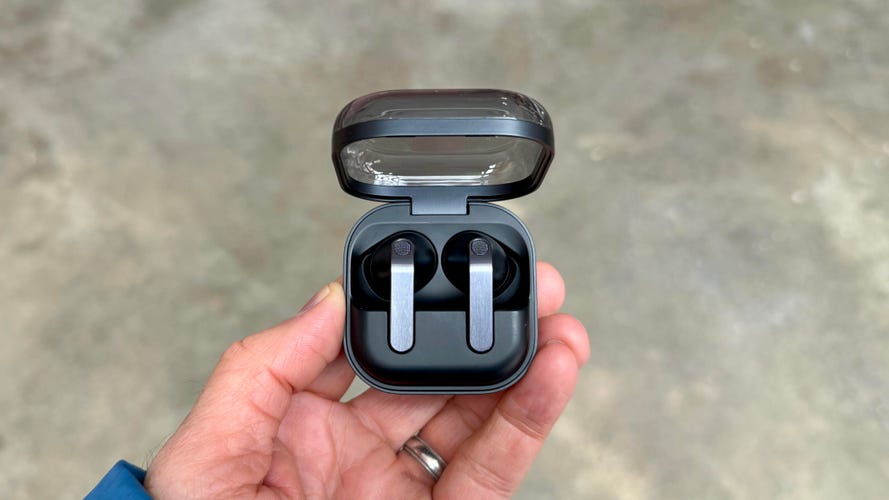
The redesigned Galaxy Buds 4 Pro are essentially AirPods Pro 3 for Samsung and Android users, with top-notch sound, voice-calling performance and a strong feature set. They should also fit most ears comfortably and securely. Their noise-canceling is also quite good, though not quite at the same level as Apple, Sony and Bose. That's why I awarded them a CNET Editors' Choice. Read my full review.
Pros
- Sleeker design with slightly more comfortable, secure fit
- Excellent sound with upgraded drivers
- Top-tier voice-calling and transparency mode
- Built-in voice and touch controls work well
- Robust feature set
- Slightly improved adaptive noise canceling
Cons
- Noise canceling and battery life have room to improve
- Eartips have a proprietary design so you can't swap in third-party tips unless they're designed for the buds
- Some features are exclusive to Samsung Galaxy devices or Android-only

Shokz wanted to equip its new flagship OpenFit Pro open earbuds with active noise cancellation, but that's not easy with open earbuds. Instead, it ended up dialing back expectations and calling the tech inside these new ear-hook style buds, "OpenEar Noise Reduction." It's a good thing it did because, during time testing the OpenFit Pro, they didn't reduce ambient sound nearly as well as the Apple AirPods 4 with Active Noise Cancellation. But they sound impressive for open earbuds, are comfortable to wear, offer very good voice-calling performance and have the premium build quality you'd expect from a set of earbuds that cost $250. Read my Shokz OpenFit Pro review.
Pros
- Comfortable fit and good build quality
- Strong sound for open earbuds, with large 11×20 mm dual-diaphragm drivers
- Good battery life (up to 12 hours)
- Noise reduction technology takes the edge off ambient sound
- Good voice-calling performance
- Wireless charging
Cons
- Fairly pricey
- Noise reduction feature doesn't muffle sound as well as AirPods 4 with Noise Cancellation
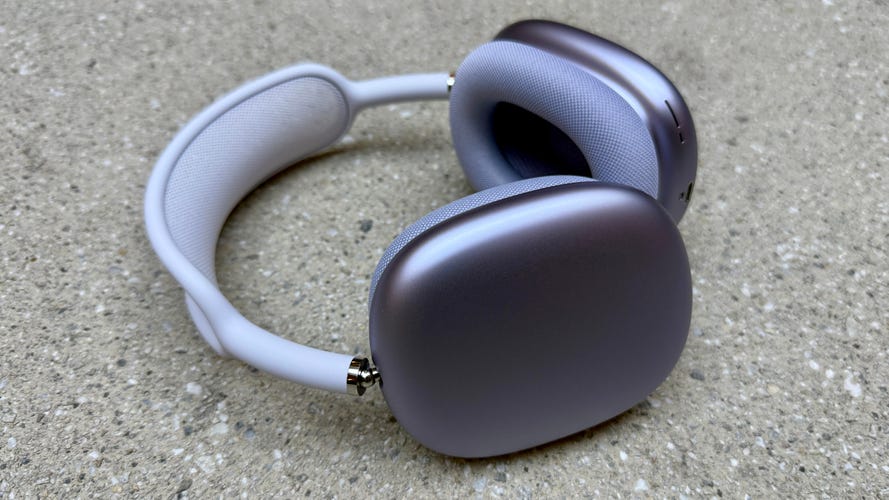
If you're an Apple-centric person who works on a MacBook and also has an iPhone (and maybe an iPad), Apple's AirPods Max 2 noise-canceling headphones allow you to easily connect to multiple Apple devices simultaneously (so long as you're signed into your iCloud account on all the devices) and switch between them. If you're on a Zoom teleconference and a call comes in on your iPhone, the AirPods Max automatically switch to the iPhone if you pick up the call. Read full review.
Pros
- Surprisingly comfortable for their weight
- Impressive sound (their sound has been improved slightly) and build-quality
- Improved adaptive noise canceling and transparency mode are both top-notch
- Even better headset performance for calls with more powerful H2 chip
- Spatial audio virtual surround for iPhones and iPads
- Automatic switching between iOS devices on your iCloud account (multipoint Bluetooth)
Cons
- Expensive, heavy and the smart case may be too smart for its own good
- No cable included for wired use
- Android users lose a couple of key features
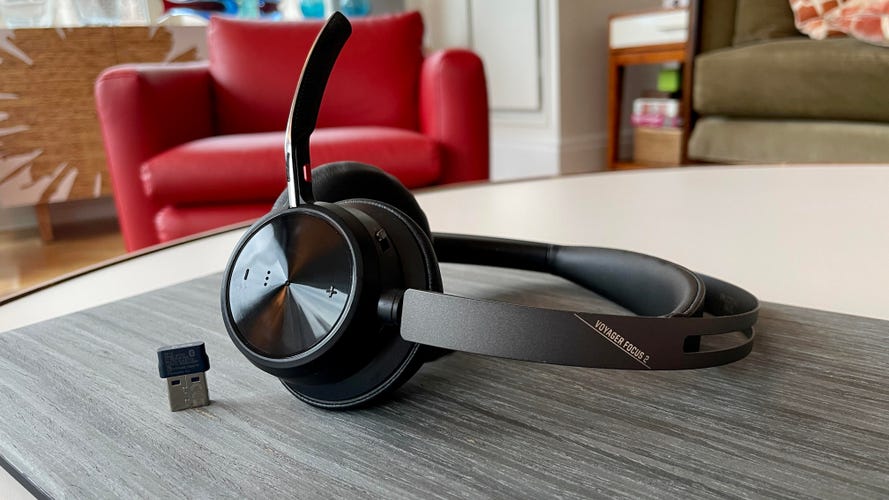
Plantronics' original Voyager Focus UC has long been considered one of the best work-from-anywhere headsets. Now we get the Voyager Focus 2 UC from Poly (the company Plantronics morphed into after it acquired Polycom), and it's improved in several ways, including better noise reduction (it's stellar), two levels of active noise canceling, increased battery life (up to 19 hours with ANC off and 16 hours with it on) and superior wireless range with Bluetooth 5.1.
Pros
- Lightweight and comfortable to wear
- Stellar noise reduction and two levels of noise canceling for calls
- Retractable boom microphone with mute button and auto-mute function
- USB wireless adapter included for PCs
- Superior wireless range with Bluetooth 5.1
Cons
- Version with USB-C wireless dongle is more expensive
- Music listening quality is only OK
- More expensive than competitor options (though worth it)
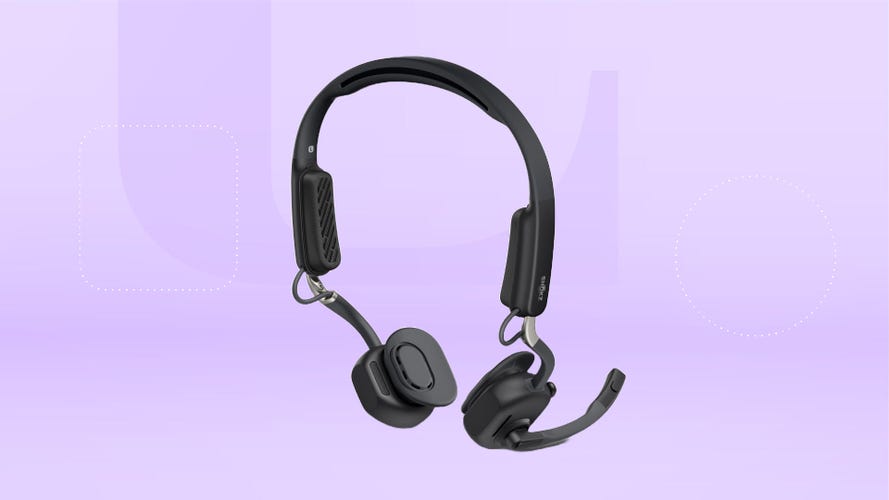
Years in development, Shokz OpenMeet comes in a standard version ($220) and a UC version ($250) that includes Shokz' Loop120 USB-A/USB-C wireless dongle for use with Windows and Mac PCs. Equipped with a TitaniumFlex frame and weighing a mere 83 grams, the first thing you notice is how light and comfortable it is (it's designed to be worn for hours). Like other bone-conduction headphones, this headset sits on your cheek in front of your ears and doesn't cover them, leaving them open to hear what's going on around you.
Pros
- Lightweight and very comfortable
- Combines bone-conduction tech with air conduction for better sound
- Very good voice-calling performance
- Open design allows you to hear ambient sound
- Nice carry case included
Cons
- Designed more for stationary use (sits more loosely on your head)
- Open design is less than ideal for noisy environments
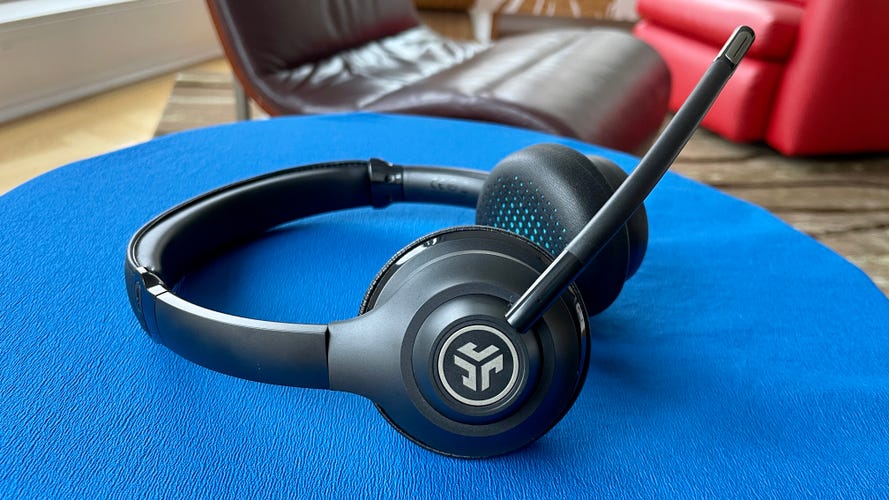
Known for its value headphones and earbuds, JLab offers a pair of on-ear headphones with an integrated boom microphone (it can be rotated up when just listening to music) and multipoint Bluetooth pairing so you can connect them to your phone and computer simultaneously. JLab's Go Work headset may not be great, but it delivers better-than-expected performance for a modest price. They're also comfortable to wear with a lightweight design. You won't mistake these for premium headphones, but the build quality means that they are among the best headphones for work for around $50.
Pros
- Up to 45 hours of battery life
- Very affordable
- Multifunction control button with LED indicator
- Cable included for wired use
Cons
- No noise canceling
- Sound quality is only OK
HEADPHONE DEALS OF THE WEEK
- $200 (save $49)
- $248 (save $152)
- $170 (save $181)
- $398 (save $62)
What is the best headset or headphone for working from home?
While it's pricey, Jabra's new Evolve3 85 headset is a great choice for those who want a truly business-class headset. If you prefer more of a consumer headphone, Sony's WH-1000XM6 are comfortable to wear, have great noise canceling and sound quality, as well as excellent voice-calling performance. The same is true for the new Apple AirPods Max 2, though they are geared toward Apple users. As for more affordable options, I like Logitech's new Zone Wireless 2 ES ($160) and Zone Wired 2 ($130) headsets, both of which have noise canceling, excellent background noise reduction and good sound quality for listening to music.
Read more: Best Earbuds for Phone Calls for 2026
What we updated: April 2026
We added the Jabra Evolve3 85, Logitech Zone Wireless 2 ES and Apple AirPods Max 2, and moved several older models to the other products we tested section.
Best headsets and headphones for working from home of 2026


The warm gray model is arriving on April 1 while the black version is due to ship on March 1.
Pros
- Lightweight, slim design with no boom microphone
- Comfortable fit with breathable fabric-covered ear pads
- Excellent microphone performance and background noise reduction
- Good voice isolation, even in noisy environment
- Decent sound quality for music listening
- USB dongle for reliable wireless connection to computers
- Ear pads and batteries are replaceable
- USB-C and wireless charging
Cons
- Expensive
- For their high price, they could sound a little better for music listening
In the past, Jabra marketed its Evolve headsets more toward businesses rather than consumers. But as more people have shifted to hybrid or work-from-home environments, the professional-grade headset market's dynamics have shifted to the point where the Danish brand made a major design decision for its new Evolve3 85 ($649) and Evolve3 75 ($463) headsets: it left off the boom microphone and designed the new models to look like your typical premium over-ear and on-ear headphones.
While there's no flexible boom microphone to bring the mic close to your mouth, I was impressed by how well the new models are able to pick up your voice clearly while dramatically reducing background noise; they reduce even more background noise than their predecessors in the Evolve2 series. What also makes this hybrid headset/headphone stand out is its lightweight design (220 grams or 7.7 oucnes) and slim profile -- the ear cups are flatter than your typical over-ear headphone -- and how slim and compact the carrying case is with the headset folded up and flat inside it (it can fit in the side pocket of a laptop bag). A dedicated mute button allows you toggle the headset's microphone on and off.
The Evolve3 85 and Evolve3 75 have very similar specs and performance but they just have different ear pieces, with the Evolve3 75 having an on-ear design (I found the over-ear model slightly more comfortable). Both come with the Jabra Link 390 USB dongle -- you can choose between USB-A or USB-C -- that allows for quick and reliable wireless connectivity with a PC. And both offer wireless charging on top of USB-C charging. I also used the headsets with my iPhone over Bluetooth (they uses Bluetooth 5.3 with a range of 30m).
While they excel at voice-calling and video calls, they do double duty as everyday headphones. Their audio quality for music listening and noise-canceling performance isn't up to the level of what you get with headphones like the Sony WH-1000XM6 and Apple AirPods Max 2, but it's still quite respectable and there are equalizer settings in the Jabra Plus companion app for iOS and Android to tweak the sound and adjust the amount of sidetone for hearing own voice in the headphones when you're on calls. Battery life is also impressive at up 120 hours of music listening with noise canceling off. A 5-minute charge gets you 5 hours of power.
The headphones come in a Microsoft Teams-certified option with a dedicated Teams button that gives MS Teams LED notifications that are visible on the Jabra headset, quick meeting access and automatic device selection if multiple MS devices are present. If you do not use Microsoft Teams as your softphone client, Jabra says to choose the standard UC variant, which is certified for use with all leading UC platforms including Cisco, Mitel and Avaya and is less than $500 on Amazon. If you use a UC variant with Microsoft Teams, the plug-and-play experience will not be available, Jabra says, but you can "set up audio and call control features manually by selecting the UC variant as the default communication device in the Microsoft Teams settings."


The Sony WH-1000XM6's sound has a little bit more of a studio vibe that's more in line with Sony's wired headphones.
Pros
- Upgraded design with more comfortable fit
- Improved noise canceling and sound quality
- New QN3 chip is seven times as powerful as QN1 chip in XM5
- Excellent voice-calling performance with more mics
- Improved transparency mode
- Spatial audio with head tracking
Cons
- $50 more than previous model
- No USB-C audio
- It's not so clear how you access spatial audio
Over the last several years, Sony has made some of the best noise-canceling headphones on the market, so it's a big deal when the company comes out with a new flagship model, like the WH-1000XM6, which arrives three years after the release of the WH-1000XM5. Though the XM5 was -- and still is -- one of the top over-ear Bluetooth headphones, there's always room for improvement. With the XM6, Sony has fixed the small design flaws of its predecessor while bumping up the overall performance, including voice-calling performance. The result is a headphone that's arguably edged just ahead of the competition and is now at the top of its class. Read our Sony WH-1000XM6 review.

Pros
- Very good voice-calling performance
- Retractable boom microphone
- Includes USB dongle for wireless PC connection
- IP55 splash-proof
- Zoom certification
Cons
- Proprietary magnetic charging (no USB-C)
- Not great for music listening with poor bass performance
A few years ago Shokz turned its OpenRun (formerly Aeropex) bone-conduction headphones into a more communications-friendly headset with an integrated boom microphone called the OpenComm ($160), which remains available. The second-generation OpenComm 2 UC costs more than the original, but features an upgraded Bluetooth 5.1 chipset that improves performance a bit and now allows for the firmware upgrades that are required for Zoom certification. Additionally, the microphone has moved from the left ear to the right and a convenient mute button has been added to the boom microphone -- an important addition.
Since these leave your ears open -- the sound is conducted through your cheekbone -- they aren't for people who want to seal their ears out from outside noise. Rather, the idea is that you can hear everything around you without having anything covering your ears or jammed inside them. The headset is quite comfortable to wear. Some folks find that liberating and these do feature excellent noise reduction for calls, as callers told me they heard very little background noise even when I was out on the noisy streets of New York.
While the Shokz are arguably the best-sounding bone-conduction headphones, they aren't great-sounding for music because they're lacking in the bass department. However, they're great for speech, so they work very well as a headset for making calls and listening to podcasts or audiobooks. These also have multipoint-Bluetooth pairing, so you can pair them with your phone and PC and easily switch to your phone if a call comes in while you're on your computer. And they come with either a USB-A or USB-C wireless dongle (you choose) that you plug into your computer for quick and reliable wireless connectivity.
As long as you don't mind the boom microphone, you can use the OpenComm 2 for sporting activities as well and are favorites for runners who want to keep their ears open to hear the outside world for safety reasons. They're also water-resistant. The only downside is they require a proprietary charging cable instead of USB-C. Battery life is rated at 16 hours of talk time and eight hours of listening.


Pros
- Design upgrades to the buds and ear tips improve their fit
- Noise cancellation has been upgraded and is now top-notch
- They sound better, with improved bass response and more clarity
- Built-in heart-rate monitoring with new sensors
- Excellent voice-calling performance (upgraded microphones)
- Battery life rated for up to eight hours (up from six for AirPods Pro 2)
Cons
- They still use the H2 chip found in the AirPods Pro 2
- Heart-rate monitoring is buried in fitness apps
- While they work with Android, many of their features are exclusive to Apple devices
- Some new colors would be nice
The AirPods Pro 3 are about as close as earbuds get to being complete: excellent noise cancellation, strong voice-calling performance and sound quality that rivals the very best. Few buds excel in all three areas -- and the Pro 3s manage it while packing in plenty of extra features, including a new heart-rate monitoring feature. Read my full review.


Pros
- Lightweight, comfortable design
- Reversible boom microphone (mic mutes when you flip it up)
- Very good background noise reduction
- Good sound quality for music listening
- Dedicated button to mute microphone
- Attractive cloth carrying case included
- Microsoft Teams certified for native Bluetooth connection
Cons
- Base version doesn't include USB dongle for easy connectivity to PCs (step-up Logitech Zone Wireless 2 ES for Business includes it)
Logitech's Zone Wireless 2 ES is fairly affordable headset that starts at $160 and offers good all-around performance in a comfortable, lightweight for factor with a reversible boom microphone (you can opt to wear the it of your left or right side, and flipping it up mutes the mic). While this is an on-ear model, the ear pads are nicely cushioned and I found the headset easy to wear for long stretches. Noise reduction during voice and video calls was excellent and people said they could here me clearly. When I used the headset in the noisy streets of New York, callers told me they could hear only minimal background noise, though the headset did pick up some wind noise.
Equipped with 40mm drivers, I also thought they sounded good for music listening, as they feature ample bass and decent clarity. Also, while their noise canceling may not be up to the level of what you get with premium Bose, Sony and Apple headphones, it was better than I thought and effective. The model I tried is a Bluetooth-only version, but it also is available in a UC version for $20 more that comes with a wireless USB-C or USB-A wireless dongle that offers quick and reliable wireless pairing with a PC. That said, the standard Bluetooth version is Microsoft Teams Certified and does offer multipoint Bluetooth so you can connect the headset to two devices simultaneously and switch audio between them. You can customize settings in the Logi Tune app.
Battery life is rated at 20 hours of talk time and 25 hours of music listening time with noise canceling on. A cloth carrying case is included. If you're looking for more of a plug-and-play option, Logitech also sells the Zone Wired 2 ($140). It also worked well in my tests and sounded good, but I prefer the untethered freedom that Zone Wireless 2 ES offered.

Pros
- Lightweight and comfortable wear
- Auto-mute function with retractable boom microphone
- Companion app allows for sound profile tweaking
Cons
- No active noise canceling
- Music listening is only OK on PC
There's a lot to like about Logitech's Zone Vibe 100 wireless over-ear headset, which comes in off-white, carbon and rose color options. For starters, it's lightweight and comfortable to wear, with a retractable boom microphone that you can flip up to mute, plus it has a mute button on it. Additionally, it features multipoint Bluetooth pairing, so you can pair it simultaneously with your Mac or Windows PC and your smartphone and easily switch audio back and forth between the two devices. These aren't active noise canceling headphones but they offer a decent amount of passive noise isolation. Battery life is rated at up 20 hours of listening time.
People said I sounded clear on calls and there's some sidetone, so you can hear your voice in the headphones as you talk (that way you don't end up raising your voice two much). I thought they sounded quite good while listening to music on my smartphone. However, the sound quality wasn't quite up to the same level when streaming Bluetooth audio on my computer, though it was still decent. The Logi Tune app for iOS and Android does allow to tweak the sound profile, adjust the sidetone and set when the headset goes to sleep when not in use.
This also comes in a version USB dongle for your computer called the Zone Vibe 125 for $30 more.

The headphones now feature USB-C audio.
Pros
- Lightweight, comfortable design with dual-hinges that fold both up and flat
- Superb noise canceling that rivals Sony's for ANC on the market
- Slightly improved sound quality with new immersive-audio Cinema Mode
- USB-C audio
- Excellent voice-calling performance with minimal background noise
- Intuitive mix of physical buttons and touch controls
Cons
- Unclear what hardware changes Bose has made and this model looks almost identical to the previous model
- Pricey
- Immersive audio mode hurts battery life (30 to 24 hours)
Why I like them
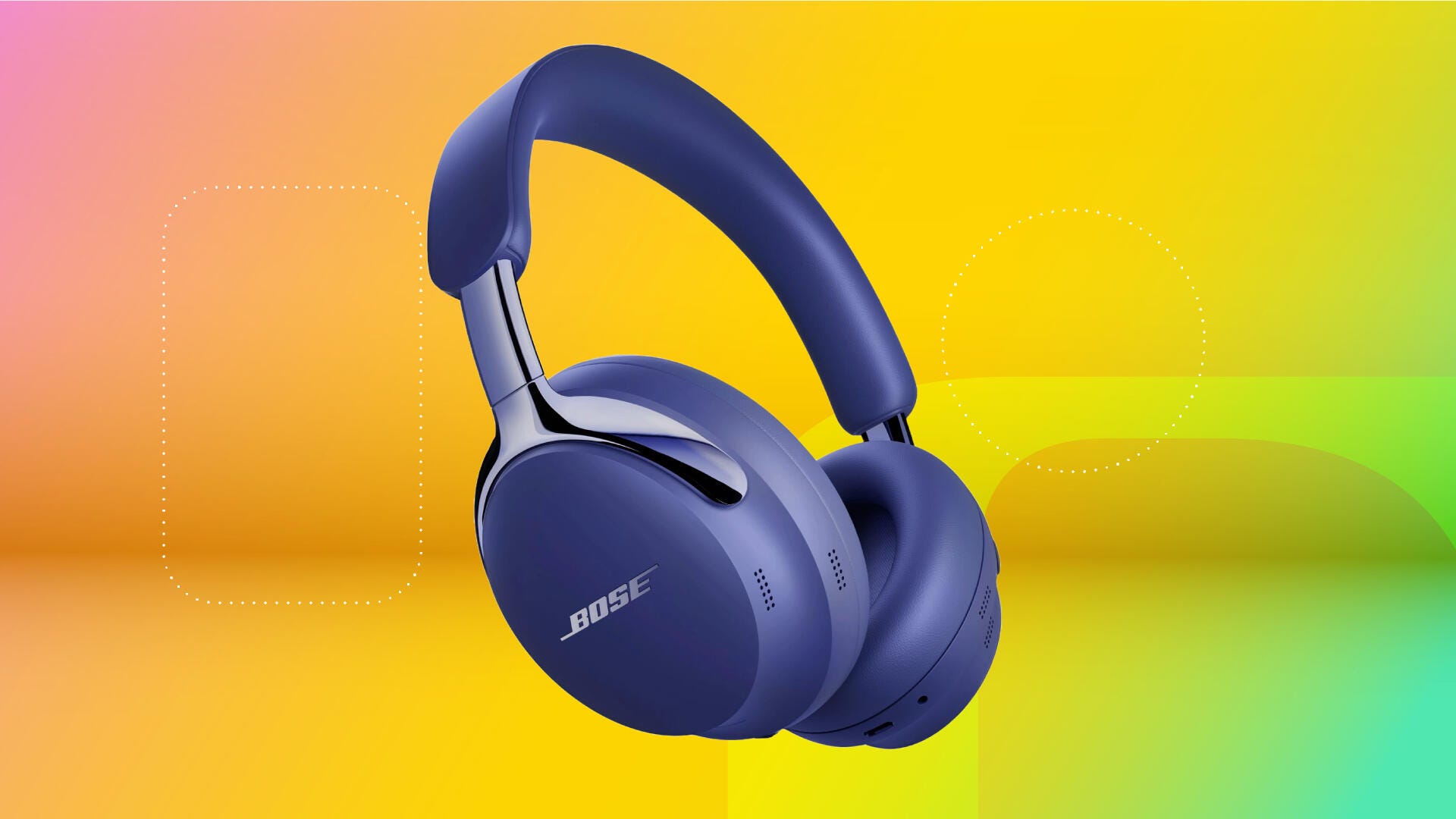
While the new-for-2025 Ultras look almost exactly the same as the original QuietComfort Ultra Headphones that were released in 2023 -- and it's unclear exactly what's changed from a hardware standpoint -- this second-gen model offers several enhancements, including slightly better sound, improved noise cancellation, USB-C audio, a new immersive-audio Cinema Mode and improved battery life (it's now rated for up to 30 hours, up from 24, and can be charged during use via the USB-C port).
When it comes to noise canceling, these are neck and neck with Sony’s new WH-1000XM6 headphones, as the two companies continue to battle for ANC supremacy. Before this 2nd-gen model arrived, I had the Sony XM6s slightly ahead, but with the small but noticeable improvements Bose has made, it's hard to say which headphones are better. It may come down to how they feel on your head -- but both are pretty comfortable.
Reasons to buy
They're a good choice for frequent travelers, commuters and professionals who want comfortable, well-designed headphones with impressive overall performance, including superb noise-muffling capabilities.
Reasons to skip/keep looking
Those on a tighter budget should look toward more midrange and budget headphone options.


The Galaxy Buds 4 Pro in black.
Pros
- Sleeker design with slightly more comfortable, secure fit
- Excellent sound with upgraded drivers
- Top-tier voice-calling and transparency mode
- Built-in voice and touch controls work well
- Robust feature set
- Slightly improved adaptive noise canceling
Cons
- Noise canceling and battery life have room to improve
- Eartips have a proprietary design so you can't swap in third-party tips unless they're designed for the buds
- Some features are exclusive to Samsung Galaxy devices or Android-only
The redesigned Galaxy Buds 4 Pro are essentially AirPods Pro 3 for Samsung and Android users, with top-notch sound, voice-calling performance and a strong feature set. They should also fit most ears comfortably and securely. Their noise-canceling is also quite good, though not quite at the same level as Apple, Sony and Bose. That's why I awarded them a CNET Editors' Choice. Read my full review.


The Shokz OpenFit Pro come in white or black for $250.
Pros
- Comfortable fit and good build quality
- Strong sound for open earbuds, with large 11×20 mm dual-diaphragm drivers
- Good battery life (up to 12 hours)
- Noise reduction technology takes the edge off ambient sound
- Good voice-calling performance
- Wireless charging
Cons
- Fairly pricey
- Noise reduction feature doesn't muffle sound as well as AirPods 4 with Noise Cancellation
Shokz wanted to equip its new flagship OpenFit Pro open earbuds with active noise cancellation, but that's not easy with open earbuds. Instead, it ended up dialing back expectations and calling the tech inside these new ear-hook style buds, "OpenEar Noise Reduction." It's a good thing it did because, during time testing the OpenFit Pro, they didn't reduce ambient sound nearly as well as the Apple AirPods 4 with Active Noise Cancellation. But they sound impressive for open earbuds, are comfortable to wear, offer very good voice-calling performance and have the premium build quality you'd expect from a set of earbuds that cost $250. Read my Shokz OpenFit Pro review.


The AirPods Max 2 in purple.
Pros
- Surprisingly comfortable for their weight
- Impressive sound (their sound has been improved slightly) and build-quality
- Improved adaptive noise canceling and transparency mode are both top-notch
- Even better headset performance for calls with more powerful H2 chip
- Spatial audio virtual surround for iPhones and iPads
- Automatic switching between iOS devices on your iCloud account (multipoint Bluetooth)
Cons
- Expensive, heavy and the smart case may be too smart for its own good
- No cable included for wired use
- Android users lose a couple of key features
If you're an Apple-centric person who works on a MacBook and also has an iPhone (and maybe an iPad), Apple's AirPods Max 2 noise-canceling headphones allow you to easily connect to multiple Apple devices simultaneously (so long as you're signed into your iCloud account on all the devices) and switch between them. If you're on a Zoom teleconference and a call comes in on your iPhone, the AirPods Max automatically switch to the iPhone if you pick up the call. Read full review.
While the AirPods Max 2 look the same as the Max (USB-C), they now include a new "dynamic range" amplifier and Apple's H2 chip (the original Max was powered by the H1), which adds a host of features already available in the AirPods Pro 2, AirPods Pro 3 and AirPods 4 and helps improve the headphones' performance in a few key ways. While Apple didn't upgrade the microphones, the H2 chip supports Apple's Voice Isolation feature, which helps with voice-calling and video-calling performance. On top of that, both the sound quality and noise-canceling are improved.
They sound great, and with all their microphones and advanced algorithms, they do an excellent job picking up your voice and reducing ambient noise. Aside from their high price, the other potential downside is their heavy weight. Although I found them comfortable, some people may have trouble with that.

Pros
- USB-C and USB-A versions available
- Dual-microphone design for voice recognition and noise reduction
- Affordable
- Microsoft Teams integration
- Excellent mic clarity
Cons
- Not great for listening to music
- No Bluetooth, wired listening only
Jabra's Evolve2 30 is a wired on-ear office headset with an integrated boom microphone. It's lightweight and comfortable and comes in USB-C and USB-A versions, as well as stereo and mono versions (I tried the USB-A stereo version). The headphones are decent but not great for music listening, but they're primarily meant for voice applications. They feature dual microphones: one for picking up your voice and the other to help reduce the ambient noise around you so callers can hear you better.

Pros
- Lightweight and comfortable to wear
- Stellar noise reduction and two levels of noise canceling for calls
- Retractable boom microphone with mute button and auto-mute function
- USB wireless adapter included for PCs
- Superior wireless range with Bluetooth 5.1
Cons
- Version with USB-C wireless dongle is more expensive
- Music listening quality is only OK
- More expensive than competitor options (though worth it)
Plantronics' original Voyager Focus UC has long been considered one of the best work-from-anywhere headsets. Now we get the Voyager Focus 2 UC from Poly (the company Plantronics morphed into after it acquired Polycom), and it's improved in several ways, including better noise reduction (it's stellar), two levels of active noise canceling, increased battery life (up to 19 hours with ANC off and 16 hours with it on) and superior wireless range with Bluetooth 5.1.
You can pair the Voyager Focus 2 UC with your computer with the included USB dongle or your phone (or tablet) via Bluetooth. It can also connect to a desk phone if you want to bring it to the office. Also worth noting: The boom microphone has a mute button on it, but when you flip it up it also automatically mutes the microphone. The original Voyager Focus doesn't mute when you lift the boom microphone.
The Focus 2 comes in several different versions, including USB-A and USB-C models and a version that's Microsoft Teams certified. You can get the headset by itself or in a bundle that includes a charging dock. All versions include a nice protective carrying pouch.
The Voyager Focus 2 UC is expensive but offers excellent performance and is quite comfortable for an on-ear headphone. It also sounds good for music listening with nicely detailed sound and ample bass. It may not be quite up to the level of the Sony WH-1000XM5 for music, but it offers a nice music-listening experience for a work-centric headset.

Pros
- Lightweight and very comfortable
- Combines bone-conduction tech with air conduction for better sound
- Very good voice-calling performance
- Open design allows you to hear ambient sound
- Nice carry case included
Cons
- Designed more for stationary use (sits more loosely on your head)
- Open design is less than ideal for noisy environments
Years in development, Shokz OpenMeet comes in a standard version ($220) and a UC version ($250) that includes Shokz' Loop120 USB-A/USB-C wireless dongle for use with Windows and Mac PCs. Equipped with a TitaniumFlex frame and weighing a mere 83 grams, the first thing you notice is how light and comfortable it is (it's designed to be worn for hours). Like other bone-conduction headphones, this headset sits on your cheek in front of your ears and doesn't cover them, leaving them open to hear what's going on around you.
Like Shokz OpenRun 2, this headset combines Shokz' bone-conduction technology with its air-conduction speaker technology (Shokz says it's a "Qualcomm-driven" 11mm x 18mm custom speaker), which is able to deliver more bass than bone-conduction technology and helps fill out the low end. The result is the headset sounds more like a traditional headphone, offering significantly fuller sound than the company's previous bone-conduction headphones. While there are plenty of $200 headphones and earbuds that sound even better than the OpenMeet, it does offer respectable sound quality.
The headset's voice-quality performance was quite good in the test calls I made. Equipped with a dual-microphone system powered by Qualcomm's cVc noise reduction, Shokz says the OpenMeet reduces background noise by up to 98.6%. Note that while the OpenMeet fit my head securely and I was able to walk around with it in the streets of New York, it's really designed for more stationary use. In other words, if you jostle your head too much, the headset will likely slip out of position or slip off your head. Shokz's OpenComm 2 headset, which has a similar design to the company's sport-oriented neckband style headphones like the OpenRun 2 but incorporates a boom microphone, fits more securely but is not as comfortable.

Pros
- Up to 45 hours of battery life
- Very affordable
- Multifunction control button with LED indicator
- Cable included for wired use
Cons
- No noise canceling
- Sound quality is only OK
Known for its value headphones and earbuds, JLab offers a pair of on-ear headphones with an integrated boom microphone (it can be rotated up when just listening to music) and multipoint Bluetooth pairing so you can connect them to your phone and computer simultaneously. JLab's Go Work headset may not be great, but it delivers better-than-expected performance for a modest price. They're also comfortable to wear with a lightweight design. You won't mistake these for premium headphones, but the build quality means that they are among the best headphones for work for around $50.
Battery life is rated at up to 45 hours at moderate volume levels, and you can mute calls using the multifunction button (an LED lights up at the end of the boom mic when the call is muted). I wouldn't call the sound quality for music listening and the headset performance stellar, but it's decent, particularly for the price. For music listening, there's ample bass and clarity and a cable is included for wired use. The headphones charge via USB-C. Note that JLab also sells over-ear Go Work headphones that cost around $80 and do sound a little better.
Factors to consider when buying a headset
Budget
Before anything else, you'll want to figure out how much you're willing to spend on a new wireless headset. The quality of value-priced headsets continues to improve, so you can find good affordable headsets and headphones for less than $100. The premium models, which offer better build quality and performance, tend to cost $200 or more, and sometimes much more.
Boom microphone or not?
When a headphone has a boom microphone, that's when it technically becomes what we describe as a "headset." Many consumer headphones work well for making calls, having an extended microphone that sits closer to your mouth can improve how well your voice gets picked, making it sound clearer. When retracted, some boom microphones will mute the headset so people can't hear you. Some boom mics now feature mute buttons on them. This is an important feature for video calls where you want to easily mute and unmute yourself. The downside to having the boom microphone is that it makes you look like you're wearing a headset instead of headphones. That's a bit of a factor if you plan on wearing whatever you buy outside your home or office.
Fit, aka comfort
It's key that the headset or headphones you buy fit your head well. They should offer a comfortable fit that's snug yet not too snug. Ideally, you want a headset of headphones you can wear over the course of a day with minimal breaks.
Durability
You want headset that hold up well over time, so look for models that we note have sturdy build quality.
Return policy
It's critical to buy your headphones at a retailer that has a good return policy, in case you have buyer's remorse. Some people who are having trouble deciding between two models sometimes buy both, try them out for a few days, and then return one.
How we test headphones and headsets for working from home
We test headphones and headsets based on six key criteria. These criteria include design, sound quality, noise canceling performance, voice-calling performance, features and value.
- Design: Evaluating design, we assess not only how comfortable the headphones and headsets fit (their ergonomics) but their build quality and how well the controls are implemented. When it comes to earbuds, we also look at water- and dust-resistance ratings.
- Sound quality: We evaluate sound quality by listening to a set playlist of music tracks as well as voice calls and comparing the headphones to top competing products in their price range. Sonic traits such as bass definition, clarity, dynamic range and how natural the headphones sound are key factors in our assessment.
- Noise canceling performance: We evaluate noise canceling performance by wearing headphones in the same spot indoors near a noisy HVAC unit to see how well they do at muffling lower frequencies. Then we head out to the streets of New York to test the headphones in a real-world environment where we see how they do at muffling not only street noise but people's voices.
- Extra features: Some great-sounding headphones and headsets aren't loaded with features, but we do take into account what extra features are on board. These include everything from quick-access awareness to transparency modes (your music pauses and the headphones open up to the outside world so you can have a conversation) to special sound modes to ear-detection sensors that automatically pause your music when you take the headphones off your ears. For home office headphones, Bluetooth multipoint pairing is an important feature (and other connectivity options such as an included Bluetooth dongle for easy pairing with a computer), as well as auto-muting the microphone. We also take a look at the companion app for the headphones if there is one and how user-friendly it is.
- Voice-calling: When we test voice-calling performance, we make calls in the noisy streets of New York and evaluate how well the headphones or earbuds reduce background noise and how clearly callers can hear our voices. We also evaluate how they perform on video-conferencing applications such as Zoom and Microsoft Teams.
- Value: We determine value after evaluating the strength of the headphones and earbuds against all these criteria and what they're able to deliver compared to other models in their price class.

Testing call quality on the streets of New York.
Other headsets we tested
Sony WH-1000XM5: Sony has released its new-for-2025 WH-1000XM6 headphones, but its former flagship model, the XM5 is still an excellent headphone that's often on sale for closer to $300. Their noise-canceling, voice-calling and sound isn't quite as good as what the XM6 offers (the XM6 sounds a little more detailed with improved bass performance) and the XM6 has a dual-hinge design that allows them to fold up, not just fold flat. As a result, the XM6's case is a little smaller. Additionally, the XM6 is powered by a new QN3 chip that Sony says delivers 7 times the performance of the QN1 chip found in the XM5s. All that said, while the jump in performance from the XM5 to the XM6 is certainly noticeable, it isn't huge; the XM5 still offers very good sound, noise-canceling and voice-calling performance that should satisfy most people. Read my Sony WH-1000XM5 review.
Poly Voyager Free 60 Plus UC earbuds: Like JBL's Tour Pro 2 earbuds, the Poly Voyager Free 60 Plus UC earbuds also have a touchscreen display embedded in their charging case. The display isn't quite as fancy as the one on the JBL case (it's mostly monochrome), but these are among the first earbuds to have a case with a mini control panel integrated into it. Additionally, the Free 60 Plus UC case also turns into a Bluetooth transceiver for inflight entertainment systems (you plug the case into the 3.5mm headphone port). I also liked how you can store the USB-A Bluetooth dongle in the charging case when you're not using it with your computer.
Cyber Acoustics Essential Bluetooth Headset HS-2000BT: UC headsets that include a USB dongle so you can easily connect the headset wirelessly to your computer tend to cost more than headsets that just feature Bluetooth connectivity. For around $70, the Cyber Acoustics Essential Bluetooth Headset HS-2000BT sells at a discount compared to similarly styled models from Jabra and Poly. I'm not going to say the HS-2000BT is better than those models, but it's lightweight and comfortable to wear and offers similar features, including a retractable boom microphone with automatic muting (when you retract the boom mic). It also has a couple of bonus features: active noise canceling and wireless charging (Qi wireless charging pad not included). Callers said I sounded good though not quite as clear as when I was using the Logitech Zone Vibe 100. I thought the HS-2000BT sounded decent enough when when listen to music, though the sound is on the warmer side (pushes the bass a bit). The headset is worth checking out, particularly if it goes on sale. I should also note that if you don't need the wireless connectivity, the headset is available in a wired-only version (the HS-2000) for $50.
Jabra Evolve2 85: With Jabra releasing the new Evolve3 85, you may find some deals on this earlier Evolve2 model. A souped-up version of Jabra's Elite 85h headphones, which came in 2019, the Evolve2 85 offers better telephony options along with a Unified Communications USB dongle for PCs. With similar sound quality to the 85h for music listening, it has an updated audio chipset, a hideaway boom arm and two additional microphones (10 altogether, with the extra two in the boom arm) for noise reduction and picking up your voice. Its build quality is also a step up. A Microsoft Teams-certified version is available for those who need it. I found it comfortable to wear over several hours, and it offers an impressive 37 hours of battery life or slightly more than the Elite 85h.
Jabra Evolve2 65: Released in 2023, the Evolve2 65 Flex features a slimmer design with dual hinges that allows you to fold the headset up flat in its compact carrying case. While this is an on-ear headset, it has a nicely padded headband and ear pieces and is impressively comfortable (it also helps that it's relatively lightweight, weighing 136 grams or 4.8 ounces). I was mostly impressed with the sound and performance of the Evolve2 65 Flex. It has a retractable boom microphone and good active noise canceling along with excellent noise reduction for calls (I made calls in the noisy streets of New York and callers said I sounded clear with little background noise intrusion). Flip the boom mic up and you automatically get muted during video conference calls; flip it down and you unmute yourself.
Sony CH-720N: Sony's improved entry-level noise canceling headphones, the CH-720Ns, have a bit of a plasticky budget vibe, but they're lightweight (only 192 grams) and very comfortable. Part of me was expecting them to sound pretty mediocre, but I was pleasantly surprised, as these headphones offer good overall tonal balance with punchy bass, decent clarity and a fairly wide soundstage (the headphones are suitable for a variety of music genres. They also offers decent noise canceling and good voice-calling performance.
Plantronics Voyager Focus UC: After Plantronics became Poly, it released a new version of this oldie-but-goodie headset called the Voyager Focus 2 (see above). This model remains on sale. We are steering people toward the newer model.
